Safe bypass blocking for bloody V2 NEW
Content: BypassBloody.zip (132.65 KB)
Uploaded: 09.05.2026
Positive responses: -1
Negative responses: 0
Sold: -1
Refunds: -1
Seller: TopMacro
information about the seller and its items
Loyalty discount! If the total amount of your purchases from the seller more than:
| $5 | the discount is | 5% |
| $15 | the discount is | 10% |
| $30 | the discount is | 15% |
| $50 | the discount is | 20% |
| $100 | the discount is | 25% |
| $200 | the discount is | 30% |
$10.14
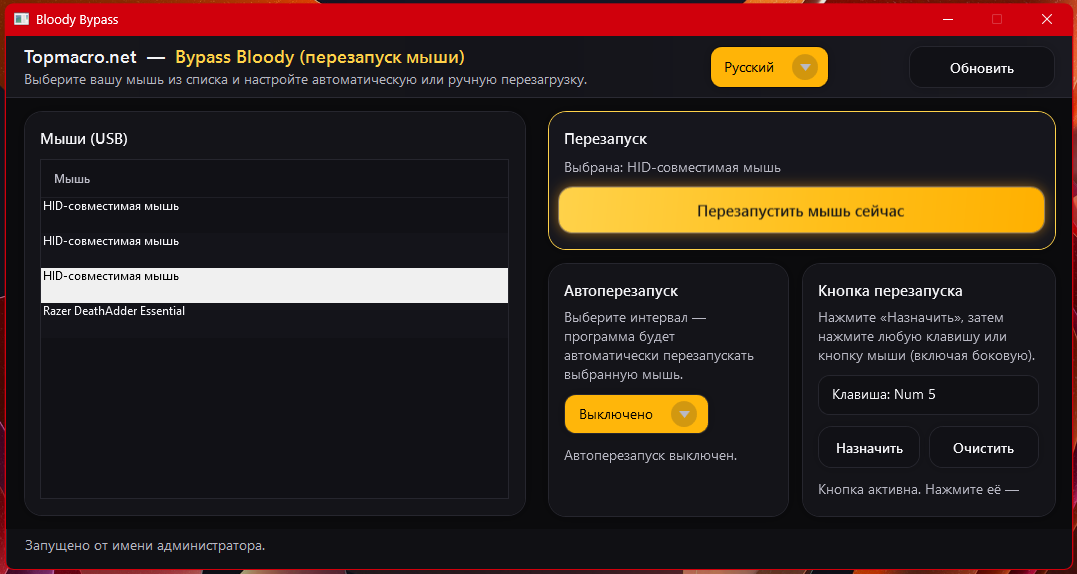
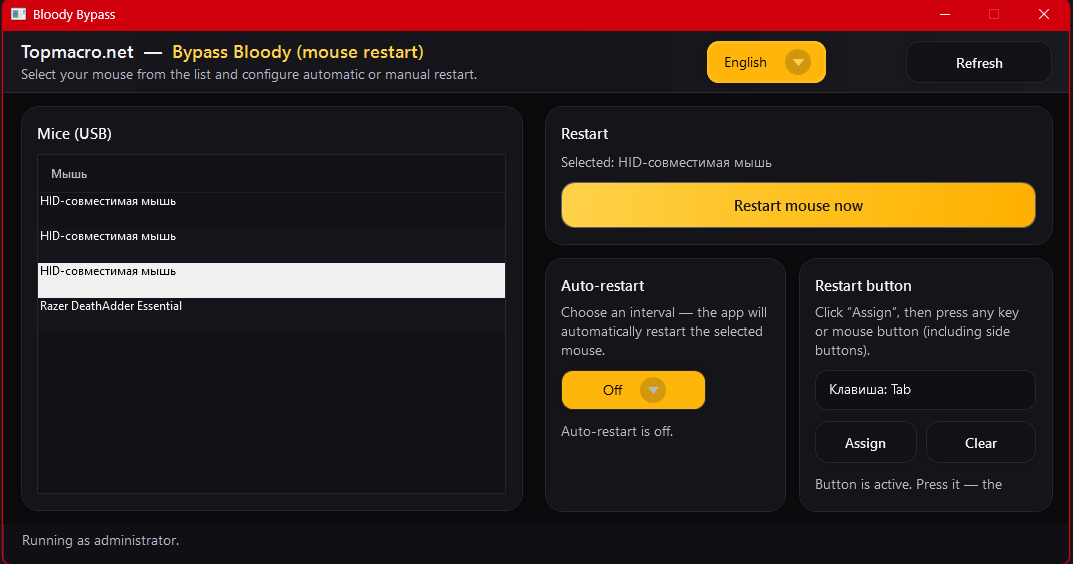
The bypass has been updated and is working reliably.
This program is completely safe for your account. Over the past 4 years, there have been no cases of bans caused by this solution, and there will not be.
You purchase the program once — forever (all future updates and improvements are free).
The program supports all languages.
The application is designed for fast USB mouse restart (reconnect) without physically unplugging the cable.
There are 3 operating modes:
• Manual restart by button.
• Restart by hotkey.
• Automatic restart by timer.
Important! This program does not solve blacklist-related disconnections — you should not be kicked from the server for that reason. (Only for Bloody mice.)
Usage is allowed on one computer only.
Because during the restart the mouse may “freeze” for about 0.5–1 second (this depends on your PC and the mouse itself), and if you are not ready to tolerate this — follow the recommendations below.
Recommended method (for Bloody):
1. Pre-load all macros into the Bloody mouse onboard memory.
2. Use any second mouse and keep both mice close to each other.
3. Enable Bloody auto-restart every 2–5 minutes in the program.
4. Play with the second mouse (not Bloody) so the auto-restarts do not affect gameplay.
5. When you need macros for shooting, switch to the Bloody mouse and shoot.
Thanks to automatic restarting, Bloody macros will always stay active,
and you will be able to use them for more accurate shooting.
Despite the minor inconvenience, this method of using macros in RUST is the best and the only one on the market: it is safe and allows you to use macros whenever you need them.
If you have any questions, you can contact us on Telegram: https://t.me/topmacro
This program is completely safe for your account. Over the past 4 years, there have been no cases of bans caused by this solution, and there will not be.
You purchase the program once — forever (all future updates and improvements are free).
The program supports all languages.
The application is designed for fast USB mouse restart (reconnect) without physically unplugging the cable.
There are 3 operating modes:
• Manual restart by button.
• Restart by hotkey.
• Automatic restart by timer.
Important! This program does not solve blacklist-related disconnections — you should not be kicked from the server for that reason. (Only for Bloody mice.)
Usage is allowed on one computer only.
Because during the restart the mouse may “freeze” for about 0.5–1 second (this depends on your PC and the mouse itself), and if you are not ready to tolerate this — follow the recommendations below.
Recommended method (for Bloody):
1. Pre-load all macros into the Bloody mouse onboard memory.
2. Use any second mouse and keep both mice close to each other.
3. Enable Bloody auto-restart every 2–5 minutes in the program.
4. Play with the second mouse (not Bloody) so the auto-restarts do not affect gameplay.
5. When you need macros for shooting, switch to the Bloody mouse and shoot.
Thanks to automatic restarting, Bloody macros will always stay active,
and you will be able to use them for more accurate shooting.
Despite the minor inconvenience, this method of using macros in RUST is the best and the only one on the market: it is safe and allows you to use macros whenever you need them.
If you have any questions, you can contact us on Telegram: https://t.me/topmacro
BONUS! For leaving a positive review, you will receive a promo code for a 10% discount when purchasing any product from our store.
To get a promo code, you need to:
1) Click on the review "Good"
2) Leave your review and add "I want a promo" or "I want a discount"
To get a promo code, you need to:
1) Click on the review "Good"
2) Leave your review and add "I want a promo" or "I want a discount"
08.04.2024 21:59:00
все топ работает
14.08.2023 22:27:46
Спасибо помогли решить проблему
26.07.2023 15:35:53
все работает красавцы