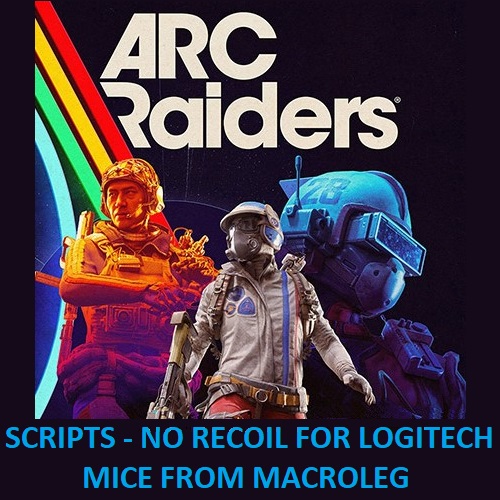
ARC Raiders - Green weapons - Script for logitech
Content: ARC Raiders-GREEN-logitech.zip (4.41 KB)
Uploaded: 24.01.2026
Positive responses: 2
Negative responses: 0
Sold: 8
Refunds: 0
$9.83

Attention!!! The use of scripts in the game is prohibited, so you use them at your own risk.
The adjustable "No recoil" script for Logitech mice in ARC Raiders remove most of the vertical recoil for the Anvil, Arpeggio, Burletta, IL Toro, significantly improving accuracy and thereby increasing the effective range against opponents. Your mouse should be supported by the GHUB software.The script was designed for mouse sensitivity settings in the game ranging from 50, FOV 80, Mouse Zoom Sensitivity Multiplier - 100%, from 100fps and above.
Anvil: level 4, Magazine Size - 6, No attachments.
Arpeggio: level 1 and 4, Magazine Size - 36, No attachments.
Burletta: level 1...4, Magazine Size - 27, No attachments.
Toro: level 4, Magazine Size - any, No attachments.
Script management and script versions:
CapsLock: Toggle the script on/off. Press the CapsLock key on your keyboard, and the CapsLock indicator will light up, indicating the script is active. Pressing CapsLock again will deactivate the script, turning off the CapsLock indicator.Arpeggio - level 1: Left Ctrl + Left Shift + mouse button 5.
Arpeggio - level 4: Left Ctrl + Left alt + mouse button 5.
Burletta: Left Shift + mouse button 5.
Anvil - level4: Left Alt + mouse button 5.
IL Toro - level4: Left Shift + Left Alt + mouse button 5.
Ferro: Left Ctrl + mouse button 5.
Osprey, or Jupiter: Left Ctrl + mouse button 4.
Quick use of items through the wheel opened with the Q key:
Slot 3 must contain a bandage: Left Ctrl + Left Shift + mouse button 4.
Slot 4 must contain shield recharge: Left Ctrl + Left Alt + mouse button 4.
Slot 5 must contain adrenaline: Left Shift + Left Alt + mouse button 4.
Move the quick-use item from pocket slot 1 to item slot 3, then move it into your hands: Left Shift + mouse button 4.
Move the item back to pocket slot 1: Left Shift + mouse button 4 — press again.
To use item movement, in this line of the script:
CURRENT_RES = "1366x768"
change it to your own resolution. Your resolution must be present in the script table; if it is not in the table, add it.
In these lines, you can adjust the level of recoil compensation when modifying the weapon or when using different in-game mouse sensitivity settings. For example, instead of 1, you can use a decimal number like 0.5, 1.2, etc.
anvil4_multiplier_Y = 1
arpeggio1_multiplier_X = 1
arpeggio1_multiplier_Y = 1
arpeggio4_multiplier_X = 1
arpeggio4_multiplier_Y = 1
burletta_multiplier_X = 1
burletta_multiplier_Y = 1
toro4_multiplier_X = 1
toro4_multiplier_Y = 1ATTENTION!!!Recoil reduction with this script only works when both the right and left mouse buttons are pressed. If you do not press the right mouse button, the left mouse button will function as usual.
The automatic fire mode is only implemented for Burletta and Arpeggio.
Left mouse button presses written in the script do not work on the left mouse button of Logitech mice. Therefore, the shooting mode for the semi-auto weapons works as follow: press and hold the right mouse button, then press the left mouse button to start shooting. To stop shooting, release the right mouse button.
/attention
Attention!!! If you receive an email with the message:“Digiseller: the seller wrote a message”open the email and follow the link inside. It will take you to your personal account, where you will find my message with important information about product updates, new product releases, or useful information about the anti-cheat system. For example, warnings about anti-cheat detection, how to avoid a ban, etc.
Also join my Discord and VK groups. I post important information there as well.
You can also access your personal account through the website oplata.infoVIDEO:
Anvil - level 4: soon
Arpeggio - level 1 and 4: dzen.ru/video/watch/696cee3584d48664e1084c14?t=64
Burletta - level 1...4 (old): dzen.ru/video/watch/696cee3584d48664e1084c14?t=221
il toro - level 4: soonProblems that can occur with Logitech and how to solve them!!!
Download the old, stable version here:: https://drive.google.com/file/d/1ffXNTp5iQZ8woltyIj7CKkeY6Oz6ux3x/view
After installation, disable automatic updates in the settings.
Also, for safety, do not use game-specific profiles in GHUB or Logitech Gaming Software. Use a desktop profile with the persistent attribute.
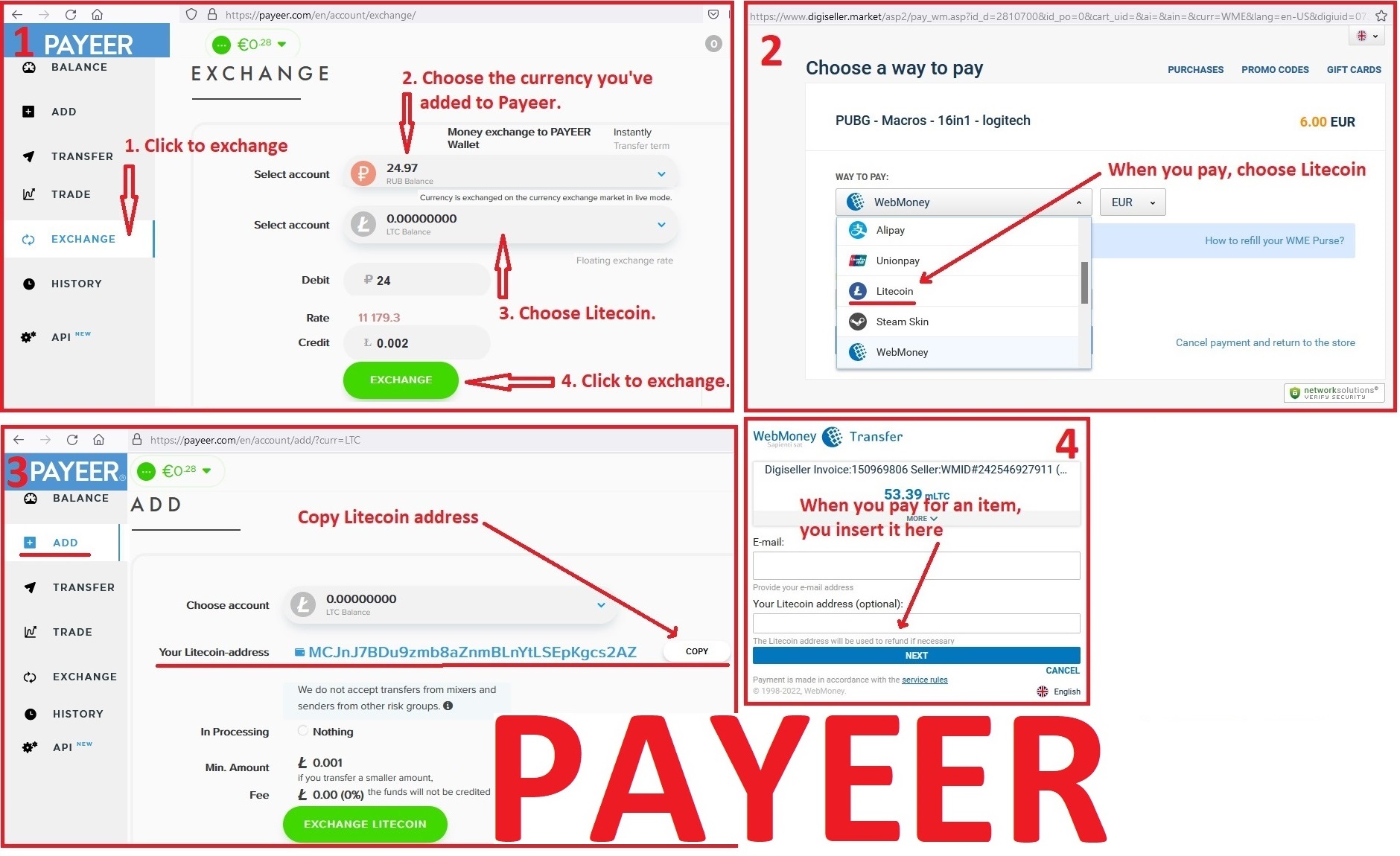
1. Sign up for Payeer: https://payeer.com/?session=13084023
2. Register with the European Exchanger: https://changer4u.com/ru/aff/e60c9d86e365ae81439dedefa2ad227e3ac569d6
3. Replenish Payeer with an exchanger.
4. In Payeer replenish Litecoin.
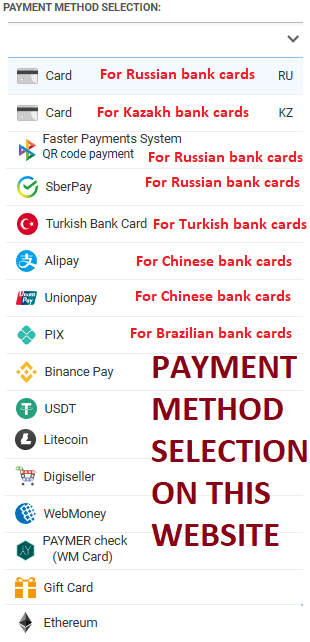
5. When buying, choose Litecoin from the payment methods.
When paying with Litecoin, there is no banking commission and the price of the item is lower.
You can also pay with skins from Steam: zen.yandex.ru/video/watch/65c05a87bf878653f5ccff1d/attentiondeliveryAfter payment you will receive a link to download the archive with macros. If you accidentally closed the page with this link, you can return it by clicking on the link in the letter that came to your e-mail after payment. You can also go to your personal account at oplata.info and your purchase will be displayed there./delivery
Also join my Discord and VK groups. I post important information there as well.
You can also access your personal account through the website oplata.infoVIDEO:
Anvil - level 4: soon
Arpeggio - level 1 and 4: dzen.ru/video/watch/696cee3584d48664e1084c14?t=64
Burletta - level 1...4 (old): dzen.ru/video/watch/696cee3584d48664e1084c14?t=221
il toro - level 4: soonProblems that can occur with Logitech and how to solve them!!!
Attention! How to Avoid a Potential Ban When Using Lua Scripts
In Warface, Lua scripts for recoil control only work with the old GHUB interface. The new interface likely uses Win32 API, which is detected and blocked by anti-cheat systems. There have already been ban cases in games like StalCraft and Delta Force. The old GHUB is safer because it uses its own driver-based solution.Download the old, stable version here:: https://drive.google.com/file/d/1ffXNTp5iQZ8woltyIj7CKkeY6Oz6ux3x/view
After installation, disable automatic updates in the settings.
Also, for safety, do not use game-specific profiles in GHUB or Logitech Gaming Software. Use a desktop profile with the persistent attribute.
GHUB must be run with administrator privileges.
Third-party programs that can use the mouse´s side buttons, such as Discord, may cause issues with running the scripts, so keep this in mind.
You should also be familiar with your mouse button numbering.
IF YOU HAVEN´T FOUND THE RIGHT MACRO ON SALE. THEN I CAN MAKE YOU A MACRO FOR A CERTAIN PAYMENT.
attentionAttention!!! If you can´t pay with a bank card. Then you need Litecoin and get it easy:1. Sign up for Payeer: https://payeer.com/?session=13084023
2. Register with the European Exchanger: https://changer4u.com/ru/aff/e60c9d86e365ae81439dedefa2ad227e3ac569d6
3. Replenish Payeer with an exchanger.
4. In Payeer replenish Litecoin.
5. When buying, choose Litecoin from the payment methods.
When paying with Litecoin, there is no banking commission and the price of the item is lower.
You can also pay with skins from Steam: zen.yandex.ru/video/watch/65c05a87bf878653f5ccff1d/attentiondeliveryAfter payment you will receive a link to download the archive with macros. If you accidentally closed the page with this link, you can return it by clicking on the link in the letter that came to your e-mail after payment. You can also go to your personal account at oplata.info and your purchase will be displayed there./delivery
23.01.2026 13:56:54
Часто обращаюсь к данному продавцу, дабы добавить моих хотелок в купленные скрипты, никогда не отказывает и помогает, чувствуется желание помочь, человек очень хороший, отзывчивый, даже самые неудобные хотелки мне сделал. По сути этот скрипт покупаю в знак благодарни, сам в Арк райдерс не играю, но скрипт на EFT отличный, каждый режим включается и индикатор на клаве меняется, от чего ты знаешь, включен ли скрипт и если да, то в каком режиме - такого я ни у кого за 10+ макросной жизни не видел, всё регулируется, много цифр от сенсы в игре, до параметров отдачи оружия и кратности прицела, в зависимости от них меняется компенсация отдачи, конечно не 1 в 1, но примерно можно ввести а потом регулировать, догоняя до идеала. Вообщем сами макросы у автора крутые и сам продавец очень хороший человек. Да и ещё при покупке дорогого скрипта, ты получаешь 40% скидку - а это прямо круто. Низкий поклон хорошему человеку за его труды. Надеюсь ассортимент будет пополняться, как минимум хотелось бы увидеть скрипты для Active Matter и других шутеров.
23.09.2022 0:23:14
Продавец помог установить макрос,уделил много времени.Макрос рабочий,рекомендую!