Arena Breakout Infinite - AK12 - Macros for synapse 4
Content: Arena_Breakout_Infinite-AK12-razer.rar (2.40 KB)
Uploaded: 16.03.2026
Positive responses: 0
Negative responses: 0
Sold: 4
Refunds: 0
$7.93

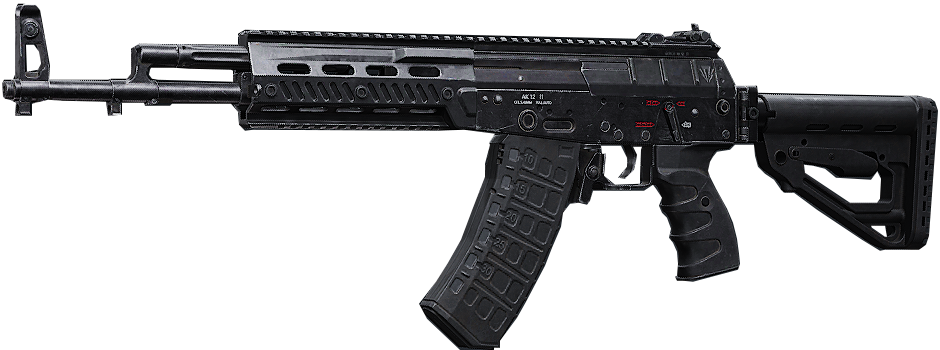
The No Recoil macros for Razer mice in the game Arena Breakout Infinite nearly eliminates vertical recoil for the AK-12 with a vertical recoil rating of 69. This enhances accuracy and extends the range for hitting targets. Your mouse must be compatible with the Synapse 4 software.
Macros with the *.xml extension for the Synapse 4 software. These macros are not compatible with Synapse 3. Please upgrade to Synapse 4.
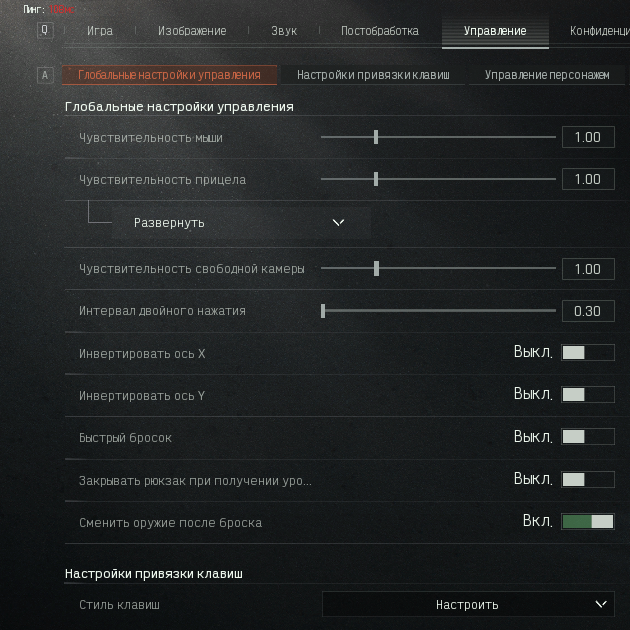
The macro ABI-AK12-1.00(1x, aim sens)x1.0-69v-50h-BS-v5.1.270925.xml was configured for the in-game mouse sensitivity settings (aiming) with 1x at 1.0.
The archive contains 31 macros:
ABI-AK12-1.00(1x, aim sens)x1.0-69v-50h-BS-v5.1.270925.xml ... ABI-AK12-1.00(1x, aim sens)x16.0-69v-50h-BS-v5.1.270925.xml
Multiplier x1.0 – x16.0
Each file contains the same macro, but all mouse movement values are multiplied by the coefficient specified in the filename.
Example:
x1.0 — original values
x1.5 — all values increased by 50%
x2.0 — values doubled
x10.0 — values increased 10 times
This allows you to select a macro suitable for different sensitivity settings, scopes, attachments, etc.
If ABI-AK12...x5.0...xml causes the crosshair to move downward, then you should test macros ranging from ABI-AK12...x2.0...xml to ABI-AK12...x4.0...xml.
Focus on the first 10 shots by firing at a wall. In many games, recoil is most consistent during these initial shots. If the macro performs well for the first 10 shots, it is a good match.
VIDEO: dzen.ru/video/watch/690104c9ac78f246b04c7a0a?t=655
Macros with the *.xml extension for the Synapse 4 software. These macros are not compatible with Synapse 3. Please upgrade to Synapse 4.
The macro ABI-AK12-1.00(1x, aim sens)x1.0-69v-50h-BS-v5.1.270925.xml was configured for the in-game mouse sensitivity settings (aiming) with 1x at 1.0.
The archive contains 31 macros:
ABI-AK12-1.00(1x, aim sens)x1.0-69v-50h-BS-v5.1.270925.xml ... ABI-AK12-1.00(1x, aim sens)x16.0-69v-50h-BS-v5.1.270925.xml
Multiplier x1.0 – x16.0
Each file contains the same macro, but all mouse movement values are multiplied by the coefficient specified in the filename.
Example:
x1.0 — original values
x1.5 — all values increased by 50%
x2.0 — values doubled
x10.0 — values increased 10 times
This allows you to select a macro suitable for different sensitivity settings, scopes, attachments, etc.
Steps for Finding the Right Macro:
For example, if using the macro ABI-AK12...x1.0...xml causes the crosshair to move upward, try ABI-AK12...x5.0...xml instead. If ABI-AK12...x5.0...xml causes the crosshair to move downward, then you should test macros ranging from ABI-AK12...x2.0...xml to ABI-AK12...x4.0...xml.
Focus on the first 10 shots by firing at a wall. In many games, recoil is most consistent during these initial shots. If the macro performs well for the first 10 shots, it is a good match.
Playback Option for macros in Synapse 3 & 4:
Play while assigned key is pressed.VIDEO: dzen.ru/video/watch/690104c9ac78f246b04c7a0a?t=655
IF YOU HAVEN´T FOUND THE RIGHT MACRO ON SALE. THEN I CAN MAKE YOU A MACRO FOR A CERTAIN PAYMENT.
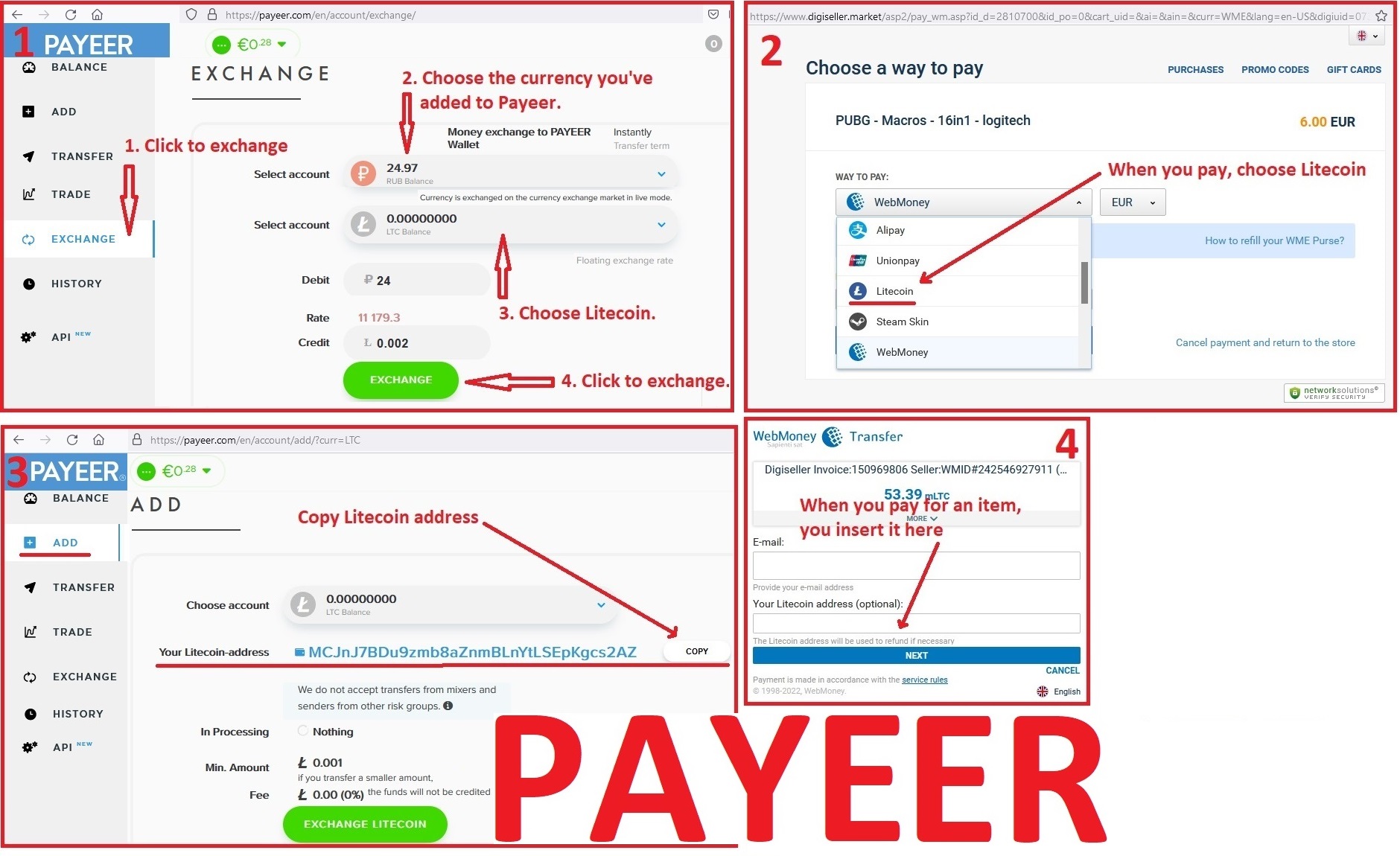
Attention!!! If you can´t pay with a bank card. Then you need Litecoin and get it easy:
1. Sign up for Payeer: https://payeer.com/?session=13084023
2. Register with the European Exchanger: https://changer4u.com/ru/aff/e60c9d86e365ae81439dedefa2ad227e3ac569d6
3. Replenish Payeer with an exchanger.
4. In Payeer replenish Litecoin.
5. When buying, choose Litecoin from the payment methods.
When paying with Litecoin, there is no banking commission and the price of the item is lower.
You can also pay with skins from Steam: dzen.ru/video/watch/65c05a87bf878653f5ccff1d
1. Sign up for Payeer: https://payeer.com/?session=13084023
2. Register with the European Exchanger: https://changer4u.com/ru/aff/e60c9d86e365ae81439dedefa2ad227e3ac569d6
3. Replenish Payeer with an exchanger.
4. In Payeer replenish Litecoin.
5. When buying, choose Litecoin from the payment methods.
When paying with Litecoin, there is no banking commission and the price of the item is lower.
You can also pay with skins from Steam: dzen.ru/video/watch/65c05a87bf878653f5ccff1d
After payment you will receive a link to download the archive with macros. If you accidentally closed the page with this link, you can return it by clicking on the link in the letter that came to your e-mail after payment. You can also go to your personal account at oplata.info and your purchase will be displayed there.
No feedback yet