✅ Coins Battlefield 2042 | 💰 BFC | Xbox/PC
Content: text (16 symbols)
Available: 1
Uploaded: 05.09.2025
Positive responses: 78
Negative responses: 0
Sold: 280
Refunds: 1
Seller: Sky_Shop
information about the seller and its items
Loyalty discount! If the total amount of your purchases from the seller more than:
| $20 | the discount is | 2% |
| $42 | the discount is | 5% |
| $80 | the discount is | 8% |
| $100 | the discount is | 10% |
$8.2
📜 How to buy Coins?1) Select the number of Coins from the list
2) Tell us your Login and password from Xbox Live (Microsoft).
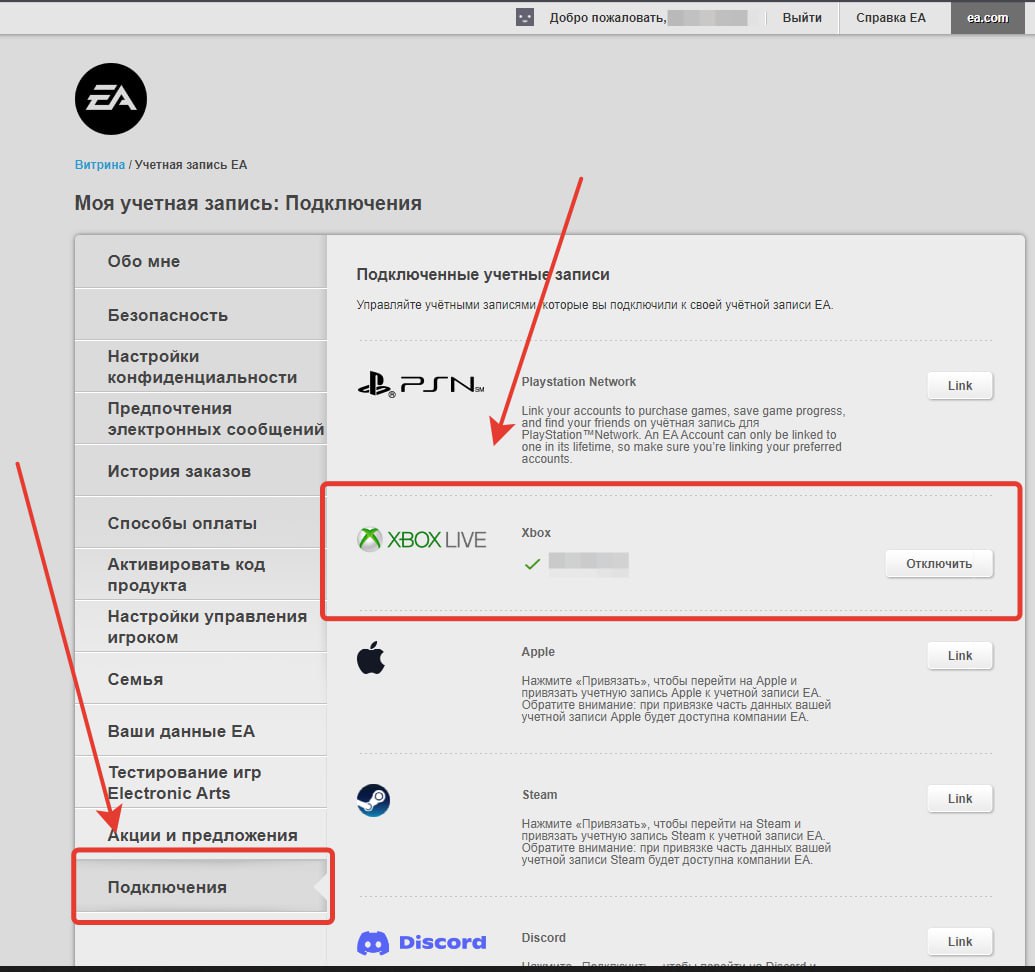
⚠️ If you play on PC/PS, you need to link an account on the website https://myaccount.ea.com/cp-ui/connectaccounts/index?external_party=xbox&integrator_state=3fc1dc6671a566c8&exauth=success
1. Log in to your account
2. Go to "Account Settings"
3. Then go to "Connect"
4. And connect your Xbox account (Microsoft = Xbox), if you don´t have a Microsoft account, you can create it for free without VPN (region is not important)
If you play via Steam or PS, they must also be connected to you
P.S. The mini instruction is in the photo above
3) After payment of the goods, on the page with the dialog you need to inform the "unique code"
4) To log in to Xbox accounts, you may need a code that should come to your email / SMS (Check the chat after purchase)
5) The goods are delivered within 24 hours
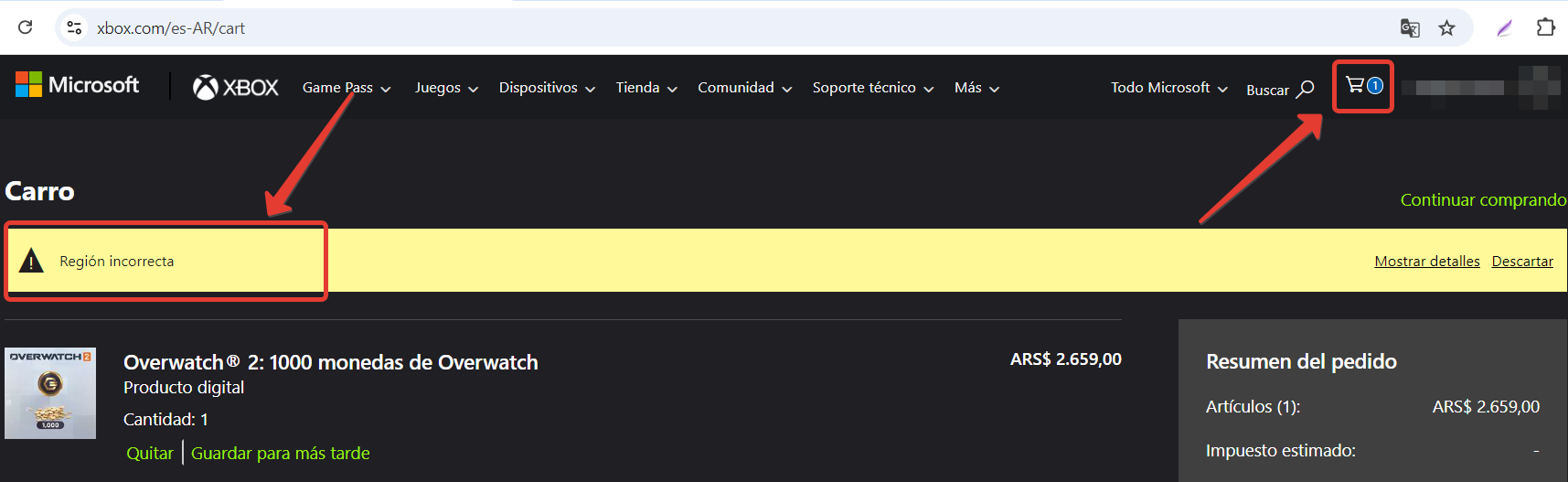
⚠️ If you are NOT playing on the Xbox console, you will not get Battlefield Coins. Write down what you need to buy in the store and we will buy for you
⚠️ We purchase goods from the Xbox console; on the console you have a separate wallet, which initially contains 0 BFC.
That is, if you bought a donation (BFC coins) on a PC, the BFC coins will not be displayed on the console, their count will start from scratch⚠️ Refund Policy:
📍 We will make a full refund if:
1. The terms of the transaction were not fulfilled by the seller or were not fulfilled in full (purchased) volume
2. More than 24 hours have passed since the payment (The delay is caused by the seller)
📍 We will refund 20% less of the funds spent if:
1. You purchased the product but decided to make a refund
2. You have purchased the product on another gaming platform (The product has not yet been delivered to your account. After the delivery of the goods, we do not make a refund)
3. And any other reasons for returning/attention/delivery
2) Tell us your Login and password from Xbox Live (Microsoft).
⚠️ If you play on PC/PS, you need to link an account on the website https://myaccount.ea.com/cp-ui/connectaccounts/index?external_party=xbox&integrator_state=3fc1dc6671a566c8&exauth=success
1. Log in to your account
2. Go to "Account Settings"
3. Then go to "Connect"
4. And connect your Xbox account (Microsoft = Xbox), if you don´t have a Microsoft account, you can create it for free without VPN (region is not important)
If you play via Steam or PS, they must also be connected to you
P.S. The mini instruction is in the photo above
3) After payment of the goods, on the page with the dialog you need to inform the "unique code"
4) To log in to Xbox accounts, you may need a code that should come to your email / SMS (Check the chat after purchase)
5) The goods are delivered within 24 hours
⚠️ If you are NOT playing on the Xbox console, you will not get Battlefield Coins. Write down what you need to buy in the store and we will buy for you
⚠️ We purchase goods from the Xbox console; on the console you have a separate wallet, which initially contains 0 BFC.
That is, if you bought a donation (BFC coins) on a PC, the BFC coins will not be displayed on the console, their count will start from scratch⚠️ Refund Policy:
📍 We will make a full refund if:
1. The terms of the transaction were not fulfilled by the seller or were not fulfilled in full (purchased) volume
2. More than 24 hours have passed since the payment (The delay is caused by the seller)
📍 We will refund 20% less of the funds spent if:
1. You purchased the product but decided to make a refund
2. You have purchased the product on another gaming platform (The product has not yet been delivered to your account. After the delivery of the goods, we do not make a refund)
3. And any other reasons for returning/attention/delivery
❔ Answers to questions:
Q - Question
A - Response
Q: I play on a PC, can I buy Coins from you?
A: Yes, but the Coins will not appear on your PC account, write what exactly you need to buy in the store and we will help you with the purchase
Q: Why are the prices in your store so low when they are several times higher in the official store?
A: We buy Coins through regions where prices are lower
Q: Why should I buy from you if I can change my region myself and buy it still cheaper?
A: It´s not as simple as it seems. We will not disclose all the equipment, the secret of the company, but there will be plenty of dancing with tambourines
Q: I have a few questions about the product, where can I write about help?
A: You can ask a question directly on the website or write in Telegram
Q: What is your approximate working time?
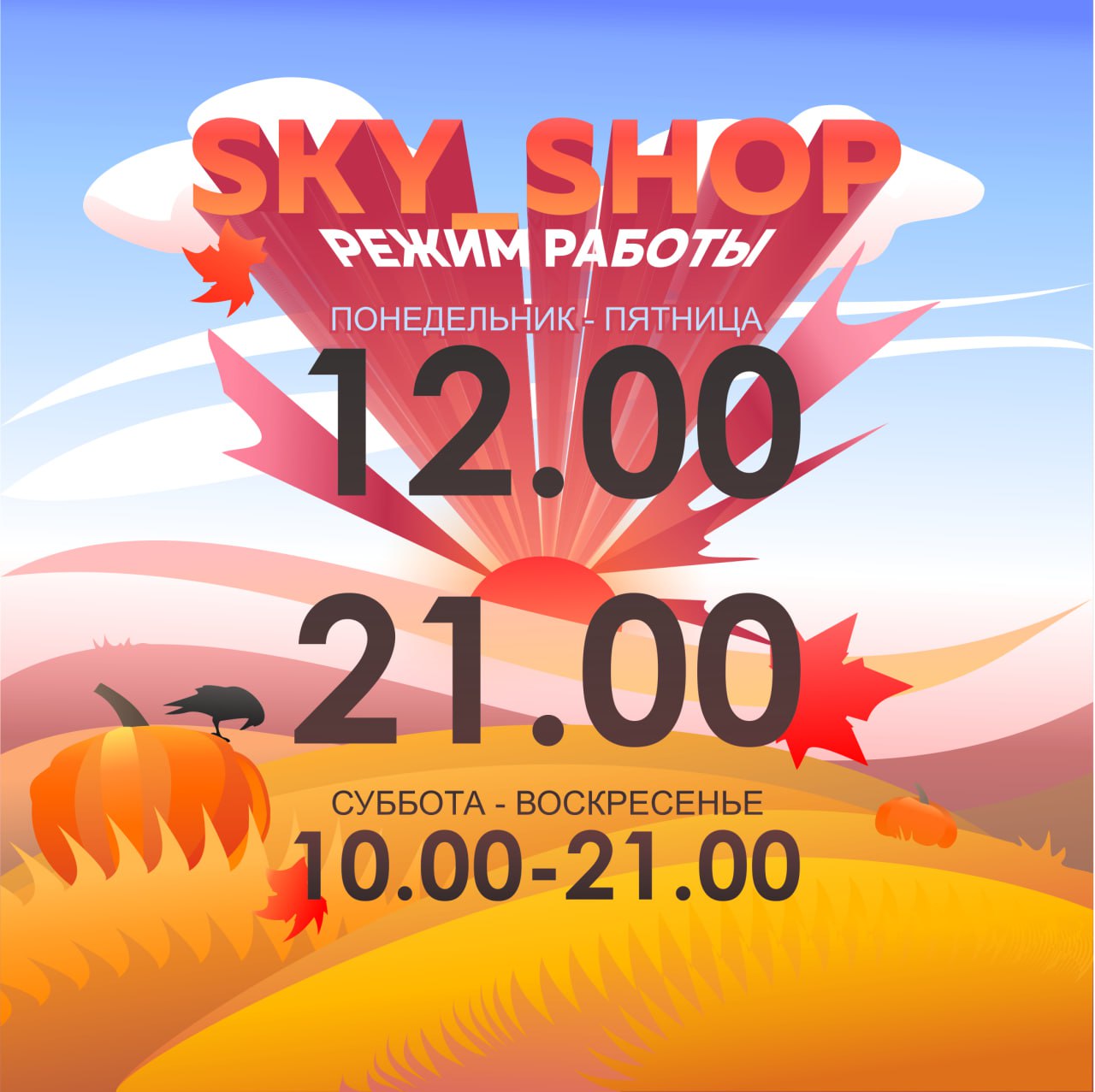
A: Approximate working time from 12:00 to 21:00 Moscow time./attention
Q - Question
A - Response
Q: I play on a PC, can I buy Coins from you?
A: Yes, but the Coins will not appear on your PC account, write what exactly you need to buy in the store and we will help you with the purchase
Q: Why are the prices in your store so low when they are several times higher in the official store?
A: We buy Coins through regions where prices are lower
Q: Why should I buy from you if I can change my region myself and buy it still cheaper?
A: It´s not as simple as it seems. We will not disclose all the equipment, the secret of the company, but there will be plenty of dancing with tambourines
Q: I have a few questions about the product, where can I write about help?
A: You can ask a question directly on the website or write in Telegram
Q: What is your approximate working time?
A: Approximate working time from 12:00 to 21:00 Moscow time./attention
10.02.2026 11:58:02
Все отлично, рекомендую!
11.09.2025 16:11:15
Спасибо продавцу!
09.09.2025 16:10:23
Всё отлично и быстро!
07.09.2025 0:19:01
Все хорошо, заказ выполнили! Спасибо за сервис
30.05.2025 13:18:36
Получил , что заказывал.
12.04.2025 22:11:36
Продавца рекомендую,сделал все быстро
12.04.2025 17:53:51
Все пришло,продавец держит связь
22.03.2025 20:10:17
все отлично!
18.03.2025 19:09:48
Все в порядке, не долго.
18.03.2025 16:50:54
Хорошая цена, быстрая сделка. Рекомендую!