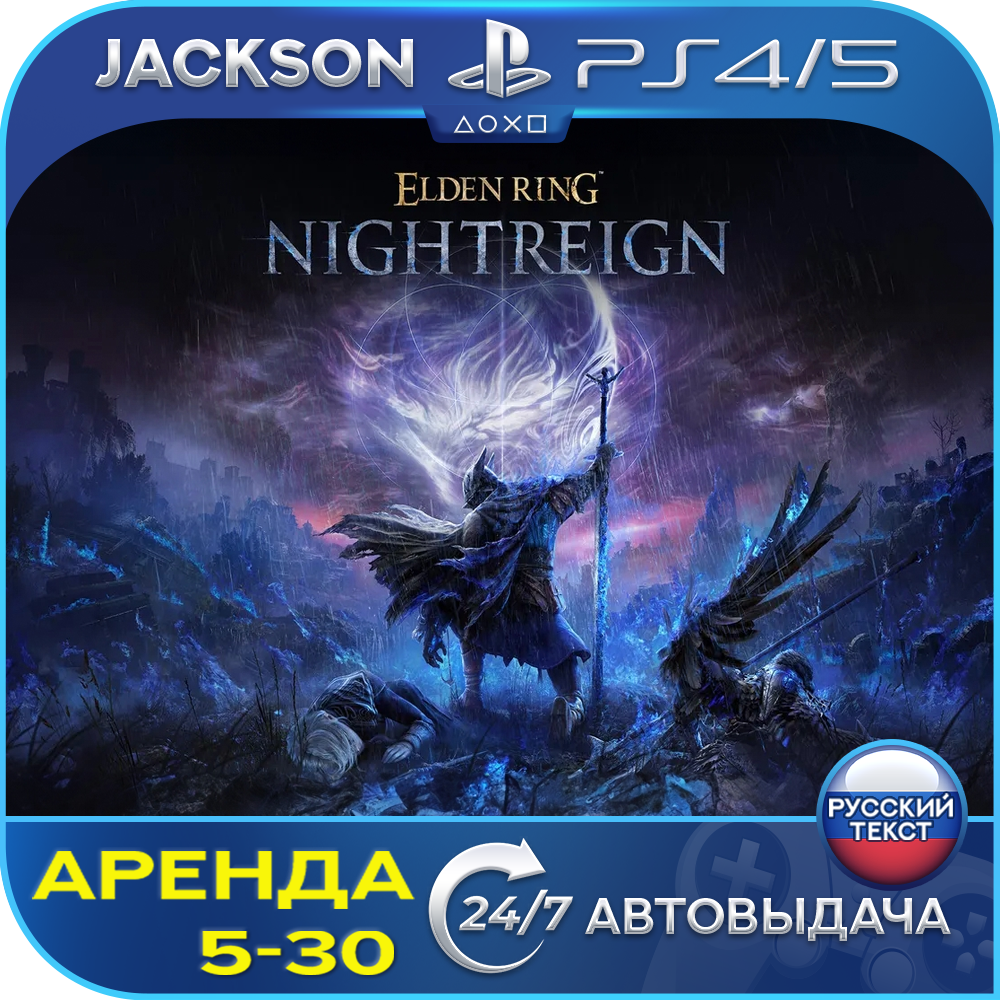
Elden Ring Nightreign (PS4/PS5) RUS | Rent 5 days +
Content: text (0 symbol)
Available: 2
Uploaded: 07.06.2026
Positive responses: 1
Negative responses: 0
Sold: 10
Refunds: 0
Seller: Jackson PSN
information about the seller and its items
Loyalty discount! If the total amount of your purchases from the seller more than:
| $100 | the discount is | 3% |
| $200 | the discount is | 5% |
| $300 | the discount is | 7% |
| $400 | the discount is | 10% |
| $500 | the discount is | 15% |
$2.74
🚀 INSTANT DELIVERY 24/7🚀
After payment, you will automatically receive your game account details in your Personal Account and via email! ✅
After payment, you will automatically receive your game account details in your Personal Account and via email! ✅
💳 CARD PAYMENT: No commission via PayPal ✅
⚠️ IMPORTANT: The PS Store closure in Russia does not affect the launch of games. Everything works as before! ❗️
🕹️ PS5 CONSOLE: Available ✅
🎭 GENRE: Action / RPG / Soulslike
📅 RELEASE DATE: May 30, 2025
🌍 REGION: Play from anywhere in the world ✅
🛡️ WARRANTY: Lifetime 💯
📀 VERSION: PS5
🔽 GAME:
🎮 ELDEN RING NIGHTREIGN
🇷🇺 SUBTITLES: (Russian text)
🗣️ VOICE OVER: (English) Language)
▬▬▬▬▬▬▬▬▬▬▬▬▬▬▬▬▬▬▬▬▬▬▬▬▬▬▬▬▬▬▬▬▬
🎭 GENRE: Action / RPG / Soulslike
📅 RELEASE DATE: May 30, 2025
🌍 REGION: Play from anywhere in the world ✅
🛡️ WARRANTY: Lifetime 💯
📀 VERSION: PS5
🔽 GAME:
🎮 ELDEN RING NIGHTREIGN
🇷🇺 SUBTITLES: (Russian text)
🗣️ VOICE OVER: (English) Language)
▬▬▬▬▬▬▬▬▬▬▬▬▬▬▬▬▬▬▬▬▬▬▬▬▬▬▬▬▬▬▬▬▬
🔺🟢✖️🟪 RENTAL🟪✖️🟢🔺
🛡️ OFFICIAL AND SAFE ➤ The account was created by us personally, and the game was purchased officially from the PS Store. This guarantees 100% protection for your console from bans and stable gameplay.
🕒 SERVICE FORMAT (RENTAL) ➤ The account is not sold, but rather rented for the period of your choice (5 to 30 days). You gain access to the profile for downloading and playing the game.
🖥️ GAMEPLAY ➤ Launching and playing the game takes place strictly on the provided profile. This option is ideal for those who value story and gameplay.
💾 SAVES ➤ All your progress is saved on the rented profile. You can continue playing at any time during the rental period.
🛡️ OFFICIAL AND SAFE ➤ The account was created by us personally, and the game was purchased officially from the PS Store. This guarantees 100% protection for your console from bans and stable gameplay.
🕒 SERVICE FORMAT (RENTAL) ➤ The account is not sold, but rather rented for the period of your choice (5 to 30 days). You gain access to the profile for downloading and playing the game.
🖥️ GAMEPLAY ➤ Launching and playing the game takes place strictly on the provided profile. This option is ideal for those who value story and gameplay.
💾 SAVES ➤ All your progress is saved on the rented profile. You can continue playing at any time during the rental period.
📒 INSTALLATION INSTRUCTIONS ⚠️
⚙️ CREATING A NEW USER AND ENTERING PS5 DATA:
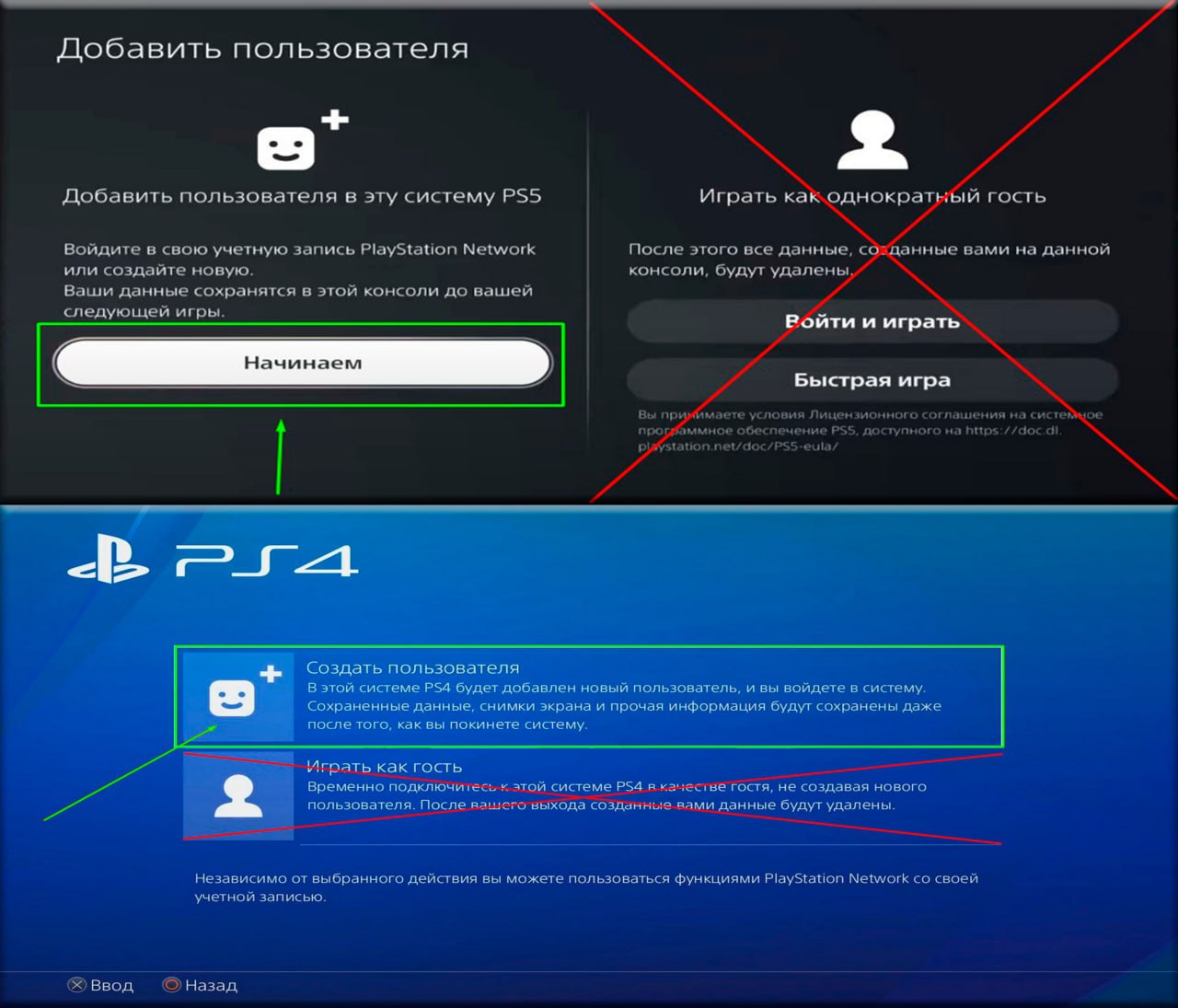
❖ CLICK ➔ "Change User" ➔ "Add User"
❖ SELECT ➔ "GET STARTED" (not as a guest!) ➔ "Accept the license agreement"
❖ NEXT ➔ "Log in manually" and enter your account information ➔ "Login (email): password" ➔ "Log in"
⚙️ACTIVATION AND SHARED ACCESS:
❖ SHARED ACCESS to the console Very important! Select ➔ "DISABLE" or "DO NOT ENABLE"
⚙️DOWNLOADING A GAME:
❖ GAME LIBRARY (at the end of the list) ➔ "Your Collection" ➔ Download the game
❖ You can check the DOWNLOAD STATUS using the option button
◐ AFTER THE TERM EXPIRES ➤ If you don´t plan to renew, you can delete your account (SETTINGS ➔ Delete User). When renewing, simply contact us, and your access will be retained.
⚙️ CREATING A NEW USER AND ENTERING PS5 DATA:
❖ CLICK ➔ "Change User" ➔ "Add User"
❖ SELECT ➔ "GET STARTED" (not as a guest!) ➔ "Accept the license agreement"
❖ NEXT ➔ "Log in manually" and enter your account information ➔ "Login (email): password" ➔ "Log in"
⚙️ACTIVATION AND SHARED ACCESS:
❖ SHARED ACCESS to the console Very important! Select ➔ "DISABLE" or "DO NOT ENABLE"
⚙️DOWNLOADING A GAME:
❖ GAME LIBRARY (at the end of the list) ➔ "Your Collection" ➔ Download the game
❖ You can check the DOWNLOAD STATUS using the option button
◐ AFTER THE TERM EXPIRES ➤ If you don´t plan to renew, you can delete your account (SETTINGS ➔ Delete User). When renewing, simply contact us, and your access will be retained.
⚠️ RENTAL RULES (P2)
📌 MAIN THING:
🔹 START ➤ Play and progress strictly from the assigned account.
🔹 NETWORK ➤ A constant internet connection is required.
🔹 PS PLUS ➤ No subscription on your account (online access is available if Plus is available on your console).
🔹 LIMIT ➤ Installation is permitted on only one console.
🚫 STRICTLY PROHIBITED:
❌ Changing any data or logging into your personal account on the Sony website.
❌ Sharing access with third parties.
⚖️ SANCTIONS AND SECURITY ➤ Any attempt to change your data (password, email) is immediately detected by the system. In this case, we will restore your access, and you will be permanently unable to play without a refund. We reserve the right to request your data from oplata.info, and your console may be blocked!
⏳ TERMS AND RENEWAL:
📅 RENTAL ➤ Minimum 5 days. No refund for early completion (we offer a discount on your next order).
🔄 EXTENSION ➤ Contact us through the "My Purchases" section in the "Correspondence" tab on the product page.
➕ ADDITIONAL:
✅ You can add friends and use social features on your account.
✅ Your account is the property of the service and is ready to use immediately.
📌 MAIN THING:
🔹 START ➤ Play and progress strictly from the assigned account.
🔹 NETWORK ➤ A constant internet connection is required.
🔹 PS PLUS ➤ No subscription on your account (online access is available if Plus is available on your console).
🔹 LIMIT ➤ Installation is permitted on only one console.
🚫 STRICTLY PROHIBITED:
❌ Changing any data or logging into your personal account on the Sony website.
❌ Sharing access with third parties.
⚖️ SANCTIONS AND SECURITY ➤ Any attempt to change your data (password, email) is immediately detected by the system. In this case, we will restore your access, and you will be permanently unable to play without a refund. We reserve the right to request your data from oplata.info, and your console may be blocked!
⏳ TERMS AND RENEWAL:
📅 RENTAL ➤ Minimum 5 days. No refund for early completion (we offer a discount on your next order).
🔄 EXTENSION ➤ Contact us through the "My Purchases" section in the "Correspondence" tab on the product page.
➕ ADDITIONAL:
✅ You can add friends and use social features on your account.
✅ Your account is the property of the service and is ready to use immediately.
04.07.2025 17:59:07
супер