Buy HereSphere VR Video Player for Oculus Quest | Activation Service
Content: text (16 symbols)
Available: 1
Uploaded: 19.08.2025
Positive responses: -1
Negative responses: 0
Sold: -1
Refunds: -1
$30.69
🎞️ Product Overview
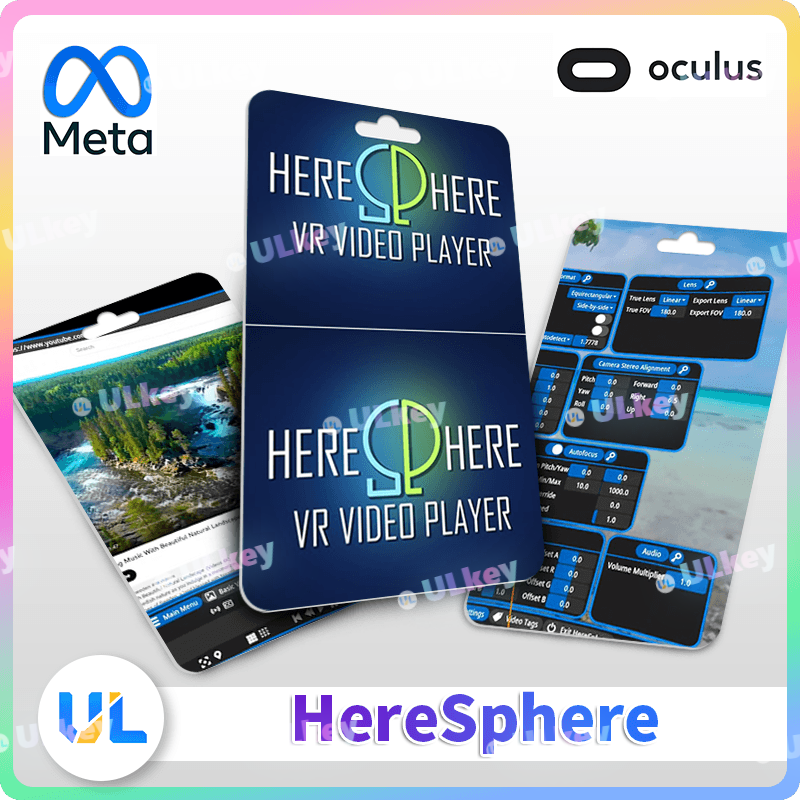
HereSphere VR Video Player is a Meta Quest video player focused on immersive VR video playback, clarity, and user customization. It suits buyers looking for a dedicated Oculus Quest VR media app for high-quality video viewing.
📌 Official Store Info
🎮 Category: Apps
🏷️ Genres: Media
👤 Game Modes: Single User
📍 Supported Player Modes: Sitting, Standing
🎮 Supported Controllers: Touch Controllers
🕶️ Supported Platforms: Meta Quest, Meta Quest 3S, Meta Quest 3, Meta Quest Pro, Meta Quest 2
🌐 Activation Service Process
1. After purchase, please send the seller the 16-digit verification code from your order.
2. By default, your Meta Horizon username is required, for example: @XXXXX
⚠️ Please check carefully and make sure the username is correct.
3. If you prefer to receive an activation code instead, please inform the seller promptly after purchase.
4. The seller will contact you and complete the order.
⚠️ Important Notice
🌍 Suitable for global use, including Russia.
🔐 In some regions, activation may require a non-Russian IP / VPN. Please be aware of this before purchase.
🤝 If needed, we can also help activate it on your account free of charge.
📩 If you accidentally closed the order page, please visit your order center and contact us through your order.
⏰ Service & Policy Notice
🕘 Orders submitted during working hours every day will be handled with priority
🌙 Orders placed outside working hours may be processed later when the seller is available
🛡️ Buyer Support
✅ Valid activation information will be provided according to the selected version
✅ If there is a genuine activation-related issue, we will assist with checking and follow-up support
📌 Important Limitations
❌ Refunds are not supported for the following situations:
• Incorrect version selection
• Personal preference changes
• Compatibility issues without prior confirmation or testing
✅ Covered Case
• Invalid activation code, with an official error screenshot provided
💡 If activation fails, please send:
① Your Meta Quest device model
② A screenshot of the activation error
③ Your order number
📣 Service Notice
📩 The service is considered delivered once the activation key / license has been sent
🗓️ Customer service usually replies within 8 hours during working hours
🤝 If you are looking for other Meta Quest apps or games, feel free to contact us
🛡️ Every product we offer includes quality-related support and reasonable after-sales assistance
HereSphere VR Video Player is a Meta Quest video player focused on immersive VR video playback, clarity, and user customization. It suits buyers looking for a dedicated Oculus Quest VR media app for high-quality video viewing.
📌 Official Store Info
🎮 Category: Apps
🏷️ Genres: Media
👤 Game Modes: Single User
📍 Supported Player Modes: Sitting, Standing
🎮 Supported Controllers: Touch Controllers
🕶️ Supported Platforms: Meta Quest, Meta Quest 3S, Meta Quest 3, Meta Quest Pro, Meta Quest 2
🌐 Activation Service Process
1. After purchase, please send the seller the 16-digit verification code from your order.
2. By default, your Meta Horizon username is required, for example: @XXXXX
⚠️ Please check carefully and make sure the username is correct.
3. If you prefer to receive an activation code instead, please inform the seller promptly after purchase.
4. The seller will contact you and complete the order.
⚠️ Important Notice
🌍 Suitable for global use, including Russia.
🔐 In some regions, activation may require a non-Russian IP / VPN. Please be aware of this before purchase.
🤝 If needed, we can also help activate it on your account free of charge.
📩 If you accidentally closed the order page, please visit your order center and contact us through your order.
⏰ Service & Policy Notice
🕘 Orders submitted during working hours every day will be handled with priority
🌙 Orders placed outside working hours may be processed later when the seller is available
🛡️ Buyer Support
✅ Valid activation information will be provided according to the selected version
✅ If there is a genuine activation-related issue, we will assist with checking and follow-up support
📌 Important Limitations
❌ Refunds are not supported for the following situations:
• Incorrect version selection
• Personal preference changes
• Compatibility issues without prior confirmation or testing
✅ Covered Case
• Invalid activation code, with an official error screenshot provided
💡 If activation fails, please send:
① Your Meta Quest device model
② A screenshot of the activation error
③ Your order number
📣 Service Notice
📩 The service is considered delivered once the activation key / license has been sent
🗓️ Customer service usually replies within 8 hours during working hours
🤝 If you are looking for other Meta Quest apps or games, feel free to contact us
🛡️ Every product we offer includes quality-related support and reasonable after-sales assistance
🌐 Website Activation:
1.Navigate to the game or application page.
2.Locate and click the "More" button (typically represented by "⋯" or a dropdown menu).
3.Select "Redeem Gift" or "Receive a Gift" from the options.
4.Enter the 25-digit activation code you received.
📱 Meta Horizon App Activation:
1.Open the Meta Horizon app and go to the game/application page.
2.Tap the three-dot menu (⋮) in the top-right corner.
3.Choose "Redeem Gift" or "Receive a Gift".
4.Input your 25-digit activation code.
⚠️ Troubleshooting Tip:
If the price or activation option does not appear:
•
Enable a VPN (set to a supported region).
Please note: Some VPNs may not work due to network restrictions. If this happens:
1️⃣ Close the app/website completely, then reopen it with the VPN active.
2️⃣ Try a different VPN service if the issue persists.
1.Navigate to the game or application page.
2.Locate and click the "More" button (typically represented by "⋯" or a dropdown menu).
3.Select "Redeem Gift" or "Receive a Gift" from the options.
4.Enter the 25-digit activation code you received.
📱 Meta Horizon App Activation:
1.Open the Meta Horizon app and go to the game/application page.
2.Tap the three-dot menu (⋮) in the top-right corner.
3.Choose "Redeem Gift" or "Receive a Gift".
4.Input your 25-digit activation code.
⚠️ Troubleshooting Tip:
If the price or activation option does not appear:
•
Enable a VPN (set to a supported region).
Please note: Some VPNs may not work due to network restrictions. If this happens:
1️⃣ Close the app/website completely, then reopen it with the VPN active.
2️⃣ Try a different VPN service if the issue persists.
No feedback yet