Gilisoft Movie DVD Converter 2026 (Lifetime / 1 PC) Key
Content: text (0 symbol)
Available: 10
Uploaded: 27.12.2025
Positive responses: 0
Negative responses: 0
Sold: 0
Refunds: 0
$4.97
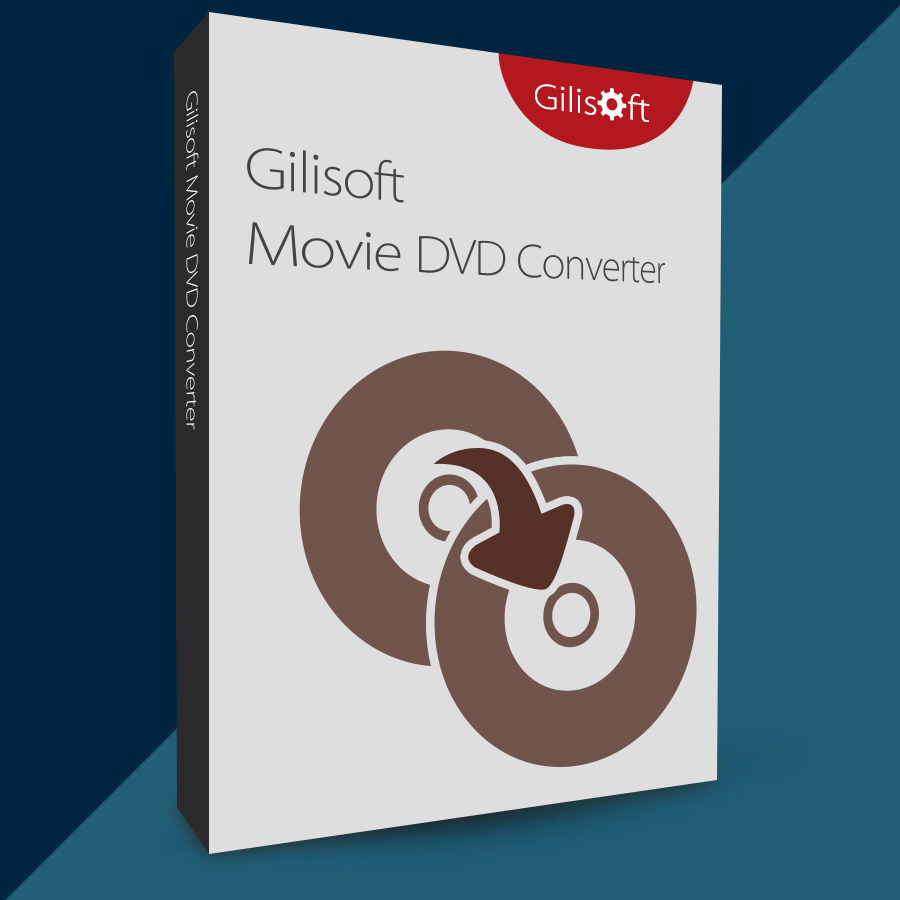
🤝 GUARANTEED INSTANT DELIVERY 🤝
✅ GiliSoft Movie DVD Converter 2026 (Lifetime / 1 PC) — Windows — License Key
⚡ INSTANT DELIVERY ⚡ Digital Keycode
📌 PRODUCT OVERVIEW:
GiliSoft Movie DVD Converter (also known as “Home DVD Converter”) helps you convert your DVD content into common video/audio files so you can watch them on your PC or compatible devices without carrying the disc everywhere. It supports DVD Disc, DVD Folder (VIDEO_TS), and DVD ISO image files.
⭐ MAIN FEATURES (HIGHLIGHTS):
✅ Convert DVD to Video Formats:
• Convert DVD to popular formats like: AVI, MPEG, WMV, DivX, MP4, H.264/AVC, RMVB, FLV, MOV, 3GP and more
• Supports HD/SD output profiles and quality presets
✅ Device Profiles (Easy Playback):
• Ready presets to convert for common devices (phones/tablets/media players), making playback simple without manual settings
✅ Extract Audio from DVD:
• Extract audio tracks from DVD and save as common audio formats like: WAV, MP3, WMA, OGG, AAC, MP2, FLAC, etc.
✅ DVD Sources Supported:
• DVD Disc
• DVD Folder (VIDEO_TS)
• DVD ISO image file
✅ Built-in DVD Copy / Backup Tools:
• Clone DVD to ISO image or DVD folder (1:1 full disc clone supported)
• Option to copy main/full title content into MPEG2 with preserved video quality + 5.1 AC3/DTS audio (when available)
✅ Burn ISO / DVD Folder to DVD:
• Burn ISO or VIDEO_TS folder back to DVD
• Supports common DVD media types including DVD-5 / DVD-9, DVD±R/RW, DL, and DVD-RAM
✅ Editing Tools (Before Converting):
• Trim/cut and merge clips
• Crop to remove black bars
• Adjust brightness/contrast/saturation + effects
• Add watermark
• Choose subtitle track / add external subtitles
✅ Extra Utilities:
• Capture DVD screenshots as JPG/BMP
• Real-time preview during editing
🖥 SYSTEM REQUIREMENTS:
• Windows PC (supports Windows 7 / Windows 10 / Windows 11)
• DVD drive required only if converting from a physical disc (not needed for ISO/folder input)
🔑 LICENSE DETAILS:
• License type: Lifetime (one-time purchase)
• Device limit: 1 PC (this listing)
• Activation region: Global 🌍
📦 WHAT YOU WILL RECEIVE:
✅ 1× Registration Code / Keycode (Digital)
🛠 HOW TO ACTIVATE (REGISTER):
1) Download & install the software (trial/installer).
2) Open the program and click “Register”.
3) Enter your email + the registration code (keycode) provided after purchase.
4) Click “Register” to complete activation (restart if prompted).
⚠️ IMPORTANT NOTES:
• Digital product only.
• Use only with DVDs/content you have rights to use, and follow your local laws.
• If activation fails: re-check copy/paste (no extra spaces), restart the program, then contact me via the order page.
✅ GiliSoft Movie DVD Converter 2026 (Lifetime / 1 PC) — Windows — License Key
⚡ INSTANT DELIVERY ⚡ Digital Keycode
📌 PRODUCT OVERVIEW:
GiliSoft Movie DVD Converter (also known as “Home DVD Converter”) helps you convert your DVD content into common video/audio files so you can watch them on your PC or compatible devices without carrying the disc everywhere. It supports DVD Disc, DVD Folder (VIDEO_TS), and DVD ISO image files.
⭐ MAIN FEATURES (HIGHLIGHTS):
✅ Convert DVD to Video Formats:
• Convert DVD to popular formats like: AVI, MPEG, WMV, DivX, MP4, H.264/AVC, RMVB, FLV, MOV, 3GP and more
• Supports HD/SD output profiles and quality presets
✅ Device Profiles (Easy Playback):
• Ready presets to convert for common devices (phones/tablets/media players), making playback simple without manual settings
✅ Extract Audio from DVD:
• Extract audio tracks from DVD and save as common audio formats like: WAV, MP3, WMA, OGG, AAC, MP2, FLAC, etc.
✅ DVD Sources Supported:
• DVD Disc
• DVD Folder (VIDEO_TS)
• DVD ISO image file
✅ Built-in DVD Copy / Backup Tools:
• Clone DVD to ISO image or DVD folder (1:1 full disc clone supported)
• Option to copy main/full title content into MPEG2 with preserved video quality + 5.1 AC3/DTS audio (when available)
✅ Burn ISO / DVD Folder to DVD:
• Burn ISO or VIDEO_TS folder back to DVD
• Supports common DVD media types including DVD-5 / DVD-9, DVD±R/RW, DL, and DVD-RAM
✅ Editing Tools (Before Converting):
• Trim/cut and merge clips
• Crop to remove black bars
• Adjust brightness/contrast/saturation + effects
• Add watermark
• Choose subtitle track / add external subtitles
✅ Extra Utilities:
• Capture DVD screenshots as JPG/BMP
• Real-time preview during editing
🖥 SYSTEM REQUIREMENTS:
• Windows PC (supports Windows 7 / Windows 10 / Windows 11)
• DVD drive required only if converting from a physical disc (not needed for ISO/folder input)
🔑 LICENSE DETAILS:
• License type: Lifetime (one-time purchase)
• Device limit: 1 PC (this listing)
• Activation region: Global 🌍
📦 WHAT YOU WILL RECEIVE:
✅ 1× Registration Code / Keycode (Digital)
🛠 HOW TO ACTIVATE (REGISTER):
1) Download & install the software (trial/installer).
2) Open the program and click “Register”.
3) Enter your email + the registration code (keycode) provided after purchase.
4) Click “Register” to complete activation (restart if prompted).
⚠️ IMPORTANT NOTES:
• Digital product only.
• Use only with DVDs/content you have rights to use, and follow your local laws.
• If activation fails: re-check copy/paste (no extra spaces), restart the program, then contact me via the order page.
No feedback yet