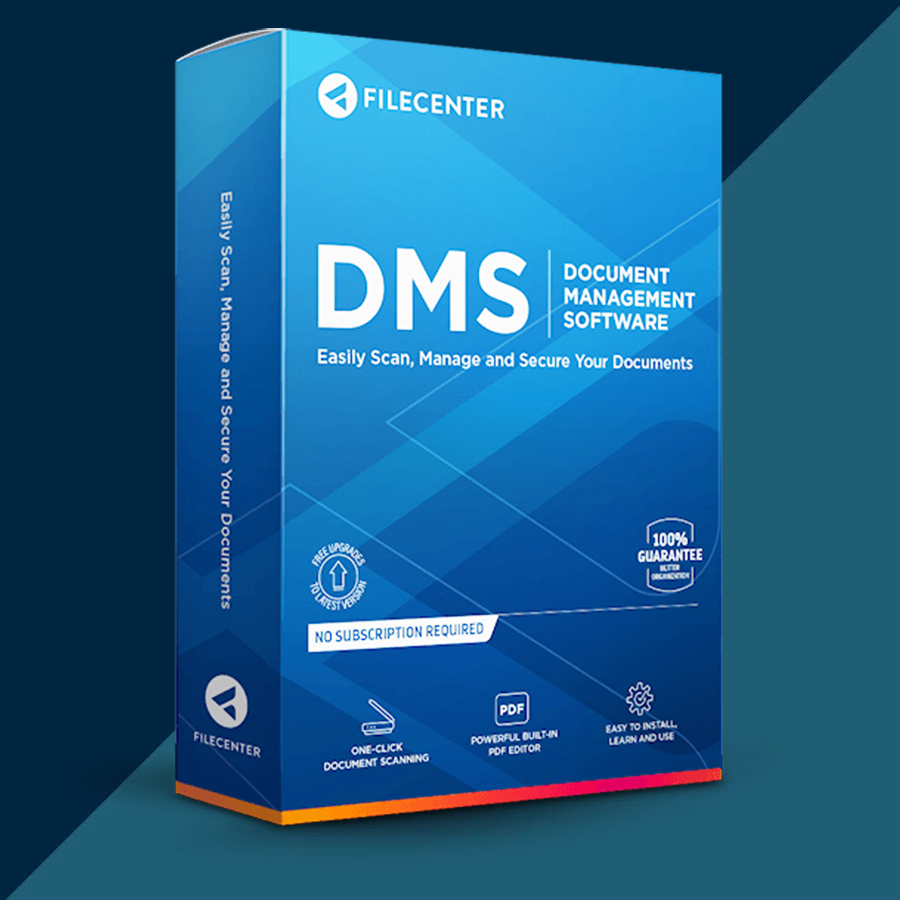
Filecenter DMS Standard 12 2026 (Lifetime / 1 PC) Key
Content: text (0 symbol)
Available: 10
Uploaded: 28.12.2025
Positive responses: 0
Negative responses: 0
Sold: 0
Refunds: 0
$9.97
🤝 GUARANTEED INSTANT DELIVERY 🤝
✅ FileCenter DMS Standard 12 (2026) (Lifetime / 1 PC) — Document Management + Scanning + PDF Tools — Windows — License Key
⚡ INSTANT DELIVERY ⚡ Digital Key
📌 PRODUCT OVERVIEW:
FileCenter DMS Standard helps you go paperless by organizing documents in a simple “file cabinet” layout that sits on top of your real Windows folders.
Scan paper to searchable PDFs (OCR), manage your files in a consistent structure, preview documents quickly, and find what you need without the clutter.
⭐ MAIN FEATURES (STANDARD EDITION HIGHLIGHTS):
✅ File Cabinet Organization (Uses Your Real Windows Folders):
• “File cabinet” interface that overlays actual Windows folders
• Store and retrieve documents in a consistent folder structure
• Works great for PDFs and everyday office files
✅ Scanning to Searchable PDF (OCR):
• Desktop scanning via TWAIN scanners
• ScanSnap scanning supported
• Create your own scanning profiles
• Scanning is designed for searchable PDF output (OCR)
✅ Fast Preview While Browsing:
• Built-in preview window to see files as you click them
• Standard edition includes fast text-only preview for common Office files + preview for image files
✅ Helpful Productivity Tools:
• Save files directly into FileCenter from many programs
• Built-in tools to organize, rename, and manage documents efficiently
🖥 SYSTEM REQUIREMENTS (WINDOWS):
• OS: Windows 10 or newer (64-bit supported)
• CPU: 4-core processor (8-core recommended)
• RAM: 4 GB (12–16 GB recommended for best OCR performance)
• Storage: ~500 MB free space (more may be needed for search indexes)
• Scanner (optional): TWAIN-compliant scanner or ScanSnap (if you plan to scan)
🔑 LICENSE DETAILS:
• License type: One-time purchase / Perpetual use
• Device limit (this listing): 1 PC
• Region: Global 🌍
📦 WHAT YOU WILL RECEIVE:
✅ 1× Product Key / License Key (Digital)
(Delivered instantly after payment)
🛠 HOW TO ACTIVATE (REGISTER):
Method 1 (if Trial is installed):
1) Open FileCenter
2) Click the drop-arrow under the “Help” button → About…
3) Click “Edit Product Key”
4) Paste/type the new Product Key → confirm
Method 2:
• Run the installer again and enter the Product Key when prompted during installation.
⚠️ IMPORTANT NOTES:
• Digital delivery only.
• This listing is for 1 PC only.
• If activation fails: re-check copy/paste (no extra spaces) and confirm you installed FileCenter DMS (Standard edition), then contact me via the order page.
✅ FileCenter DMS Standard 12 (2026) (Lifetime / 1 PC) — Document Management + Scanning + PDF Tools — Windows — License Key
⚡ INSTANT DELIVERY ⚡ Digital Key
📌 PRODUCT OVERVIEW:
FileCenter DMS Standard helps you go paperless by organizing documents in a simple “file cabinet” layout that sits on top of your real Windows folders.
Scan paper to searchable PDFs (OCR), manage your files in a consistent structure, preview documents quickly, and find what you need without the clutter.
⭐ MAIN FEATURES (STANDARD EDITION HIGHLIGHTS):
✅ File Cabinet Organization (Uses Your Real Windows Folders):
• “File cabinet” interface that overlays actual Windows folders
• Store and retrieve documents in a consistent folder structure
• Works great for PDFs and everyday office files
✅ Scanning to Searchable PDF (OCR):
• Desktop scanning via TWAIN scanners
• ScanSnap scanning supported
• Create your own scanning profiles
• Scanning is designed for searchable PDF output (OCR)
✅ Fast Preview While Browsing:
• Built-in preview window to see files as you click them
• Standard edition includes fast text-only preview for common Office files + preview for image files
✅ Helpful Productivity Tools:
• Save files directly into FileCenter from many programs
• Built-in tools to organize, rename, and manage documents efficiently
🖥 SYSTEM REQUIREMENTS (WINDOWS):
• OS: Windows 10 or newer (64-bit supported)
• CPU: 4-core processor (8-core recommended)
• RAM: 4 GB (12–16 GB recommended for best OCR performance)
• Storage: ~500 MB free space (more may be needed for search indexes)
• Scanner (optional): TWAIN-compliant scanner or ScanSnap (if you plan to scan)
🔑 LICENSE DETAILS:
• License type: One-time purchase / Perpetual use
• Device limit (this listing): 1 PC
• Region: Global 🌍
📦 WHAT YOU WILL RECEIVE:
✅ 1× Product Key / License Key (Digital)
(Delivered instantly after payment)
🛠 HOW TO ACTIVATE (REGISTER):
Method 1 (if Trial is installed):
1) Open FileCenter
2) Click the drop-arrow under the “Help” button → About…
3) Click “Edit Product Key”
4) Paste/type the new Product Key → confirm
Method 2:
• Run the installer again and enter the Product Key when prompted during installation.
⚠️ IMPORTANT NOTES:
• Digital delivery only.
• This listing is for 1 PC only.
• If activation fails: re-check copy/paste (no extra spaces) and confirm you installed FileCenter DMS (Standard edition), then contact me via the order page.
No feedback yet