Affinity Designer V1.9 (Lifetime / 1 PC) Key
Content: text (0 symbol)
Available: 10
Uploaded: 05.01.2026
Positive responses: 0
Negative responses: 0
Sold: 0
Refunds: 0
$0.99
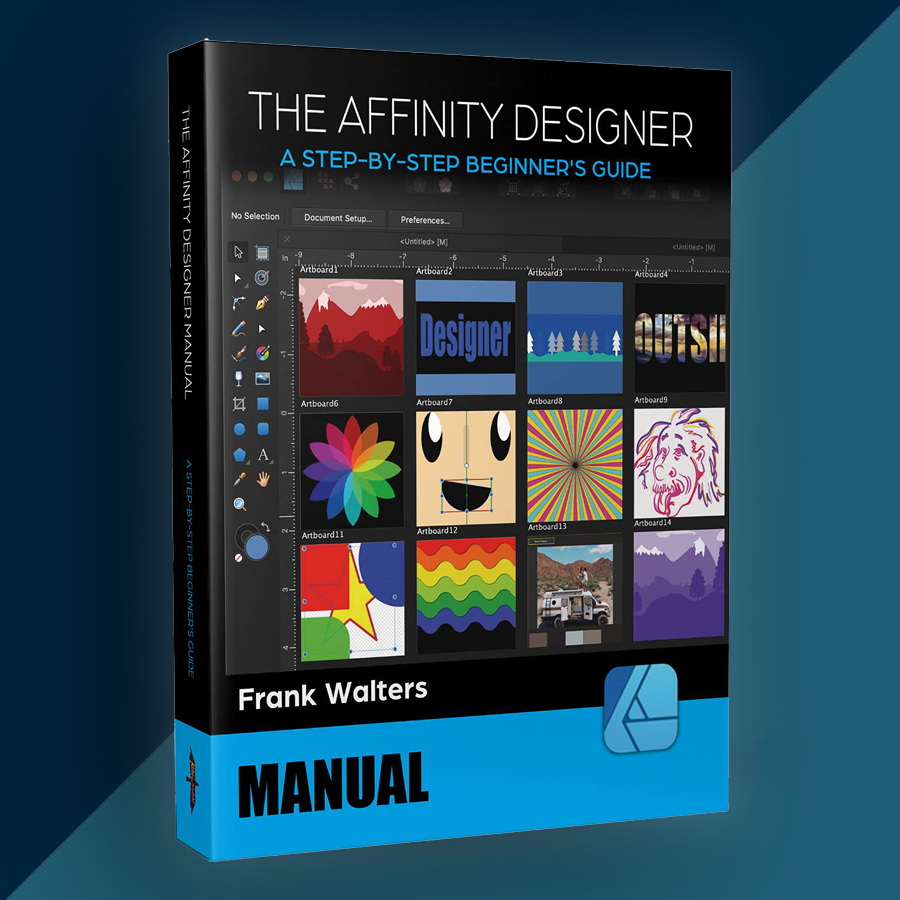
🤝 GUARANTEED INSTANT DELIVERY 🤝
✅ Affinity Designer V1.9 (Lifetime / 1 PC) — Windows — Serial Number / License Key
⚡ INSTANT DELIVERY ⚡ Digital Key
📌 PRODUCT OVERVIEW:
Affinity Designer V1.9 is a fast, professional vector design app built for logos, UI/UX, icons, illustrations, branding assets, and print-ready artwork. It’s a perpetual (non-subscription) license for the Version 1 generation—buy once, keep using it.
⭐ MAIN FEATURES (HIGHLIGHTS):
✅ Pro Vector Design Workflow:
• Create crisp vector artwork, icons, typography, and layouts
• Precision tools for clean curves, shapes, and professional exports
✅ New in V1.9: Contour Tool (Offsets & Outlines):
• Add contours/offsets around shapes and curves (great for logo outlines & stroke-style effects)
✅ New in V1.9: “Select Same” + “Select Object” (Huge Time Saver):
• Quickly select items sharing fill/stroke attributes, transparency, blend modes, etc.
• Select all objects of a certain type to speed up edits in complex documents
✅ Linked Images / Resources (Smaller Files, Faster Projects):
• Place linked assets instead of embedding everything—helps reduce document size and improves workflows
✅ Performance & GPU Acceleration (Where Supported):
• Hardware acceleration is available on supported systems (GPU + Windows build requirements apply)
🖥 SYSTEM REQUIREMENTS:
• OS: Windows 7 SP1 / 8.1 / 10 (64-bit) — Affinity apps are 64-bit only
• RAM: 2 GB minimum (8 GB recommended for smoother work on bigger files)
• Display: 1280×768 or higher
• GPU Acceleration (optional): requires supported GPU + Windows 10 (May 2020 / 19042+) for OpenCL acceleration
🔑 LICENSE DETAILS:
• License type: Lifetime / Perpetual (Version 1 license — no subscription)
• Device limit (this listing): 1 PC
• Platform: Windows
• Region: Global
📦 WHAT YOU WILL RECEIVE:
✅ 1× Serial Number / License Key (Digital)
(Delivered instantly after payment)
🛠 HOW TO INSTALL & ACTIVATE (WINDOWS):
Download and install Affinity Designer (Windows) from the official installer/updates page or your Affinity account downloads.
Launch the program.
Choose “I have a product key” (Version 1 uses product keys).
Enter the provided License Key (copy/paste carefully—no extra spaces).
Complete activation (internet may be required).
⚠️ IMPORTANT NOTES:
• Digital delivery only.
• This is Affinity Designer Version 1.x (V1.9) — NOT Affinity Designer 2 / the newer unified “Affinity” app.
• If activation fails: confirm you installed the non–Microsoft Store desktop build and re-check the key formatting. (Store builds may activate differently.)
• If you still have trouble, message me via the order page with a screenshot of the activation window (hide your key).
✅ Affinity Designer V1.9 (Lifetime / 1 PC) — Windows — Serial Number / License Key
⚡ INSTANT DELIVERY ⚡ Digital Key
📌 PRODUCT OVERVIEW:
Affinity Designer V1.9 is a fast, professional vector design app built for logos, UI/UX, icons, illustrations, branding assets, and print-ready artwork. It’s a perpetual (non-subscription) license for the Version 1 generation—buy once, keep using it.
⭐ MAIN FEATURES (HIGHLIGHTS):
✅ Pro Vector Design Workflow:
• Create crisp vector artwork, icons, typography, and layouts
• Precision tools for clean curves, shapes, and professional exports
✅ New in V1.9: Contour Tool (Offsets & Outlines):
• Add contours/offsets around shapes and curves (great for logo outlines & stroke-style effects)
✅ New in V1.9: “Select Same” + “Select Object” (Huge Time Saver):
• Quickly select items sharing fill/stroke attributes, transparency, blend modes, etc.
• Select all objects of a certain type to speed up edits in complex documents
✅ Linked Images / Resources (Smaller Files, Faster Projects):
• Place linked assets instead of embedding everything—helps reduce document size and improves workflows
✅ Performance & GPU Acceleration (Where Supported):
• Hardware acceleration is available on supported systems (GPU + Windows build requirements apply)
🖥 SYSTEM REQUIREMENTS:
• OS: Windows 7 SP1 / 8.1 / 10 (64-bit) — Affinity apps are 64-bit only
• RAM: 2 GB minimum (8 GB recommended for smoother work on bigger files)
• Display: 1280×768 or higher
• GPU Acceleration (optional): requires supported GPU + Windows 10 (May 2020 / 19042+) for OpenCL acceleration
🔑 LICENSE DETAILS:
• License type: Lifetime / Perpetual (Version 1 license — no subscription)
• Device limit (this listing): 1 PC
• Platform: Windows
• Region: Global
📦 WHAT YOU WILL RECEIVE:
✅ 1× Serial Number / License Key (Digital)
(Delivered instantly after payment)
🛠 HOW TO INSTALL & ACTIVATE (WINDOWS):
Download and install Affinity Designer (Windows) from the official installer/updates page or your Affinity account downloads.
Launch the program.
Choose “I have a product key” (Version 1 uses product keys).
Enter the provided License Key (copy/paste carefully—no extra spaces).
Complete activation (internet may be required).
⚠️ IMPORTANT NOTES:
• Digital delivery only.
• This is Affinity Designer Version 1.x (V1.9) — NOT Affinity Designer 2 / the newer unified “Affinity” app.
• If activation fails: confirm you installed the non–Microsoft Store desktop build and re-check the key formatting. (Store builds may activate differently.)
• If you still have trouble, message me via the order page with a screenshot of the activation window (hide your key).
No feedback yet