iniBuilds A350 for MSFS 2020 / 2024
Content: text (0 symbol)
Available: 13
Uploaded: 20.02.2026
Positive responses: 2
Negative responses: 0
Sold: 17
Refunds: 0
$2.74
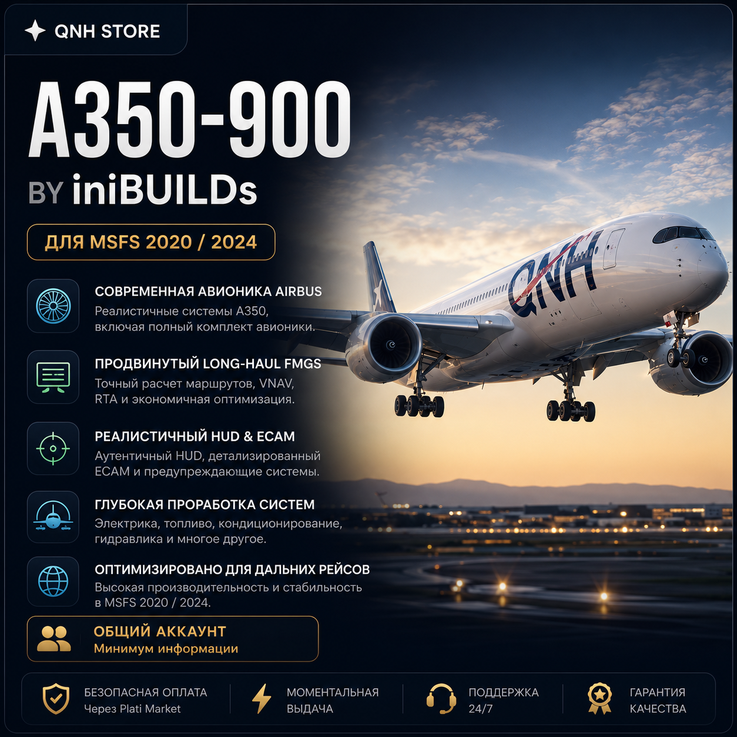
✈️ iniBuilds Airbus A350 for Microsoft Flight Simulator 2020/2024
📩 Shared account with access to iniBuilds A350-900 and A350-1000
🛫 Highly detailed cockpit and passenger cabin
🧭 SimBrief and Navigraph support
📱 Modern EFB tablet
🔧 Realistic Airbus systems and procedures
📩 After purchase, you will receive the account credentials required for installation.
💻 Installation is performed through the official iniBuilds installer using the provided account details.
📖 Installation Guide:
1. Log in to the iniBuilds account using the provided credentials.
2. Download and install the iniManager application.
3. Install the Airbus A350 through iniManager.
4. Wait for the installation to complete.
5. Launch Microsoft Flight Simulator 2020/2024 and select the Airbus A350.
⚠ Do not change the account password, email address, or security settings.
⚠ Do not share account access with third parties.
⚠ Access is provided for personal use only.
❌ Violation of these rules may result in access restrictions without refund.
🛠 Support is provided for installation and first launch.
💡 Digital product. Refunds are not available after access has been provided.
⚡ Instant delivery after payment.
📩 Shared account with access to iniBuilds A350-900 and A350-1000
🛫 Highly detailed cockpit and passenger cabin
🧭 SimBrief and Navigraph support
📱 Modern EFB tablet
🔧 Realistic Airbus systems and procedures
📩 After purchase, you will receive the account credentials required for installation.
💻 Installation is performed through the official iniBuilds installer using the provided account details.
📖 Installation Guide:
1. Log in to the iniBuilds account using the provided credentials.
2. Download and install the iniManager application.
3. Install the Airbus A350 through iniManager.
4. Wait for the installation to complete.
5. Launch Microsoft Flight Simulator 2020/2024 and select the Airbus A350.
⚠ Do not change the account password, email address, or security settings.
⚠ Do not share account access with third parties.
⚠ Access is provided for personal use only.
❌ Violation of these rules may result in access restrictions without refund.
🛠 Support is provided for installation and first launch.
💡 Digital product. Refunds are not available after access has been provided.
⚡ Instant delivery after payment.
15.04.2026 13:26:25
Все супер!
20.02.2026 19:10:38
гуд