Word Excel PowerPoint Visio Project 2024 Key Bind License
Content: text (0 symbol)
Available: 1
Uploaded:
Positive responses: 0
Negative responses: 0
Sold: 1
Refunds: 0
$26.27
WHAT YOU RECEIVE:
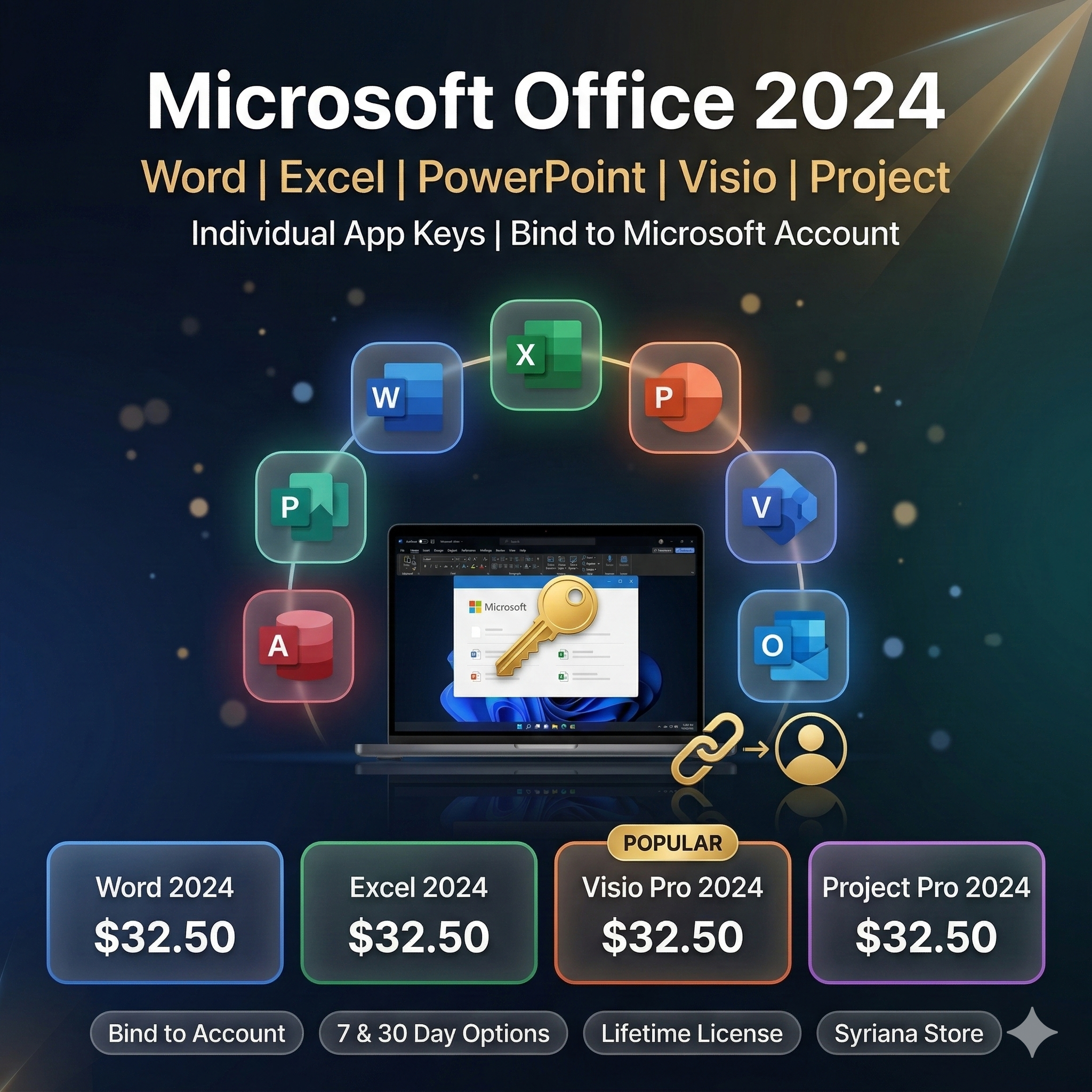
1x Digital License Key for an individual Microsoft Office 2024 application.
Choose your app and binding period from the options above before purchasing.
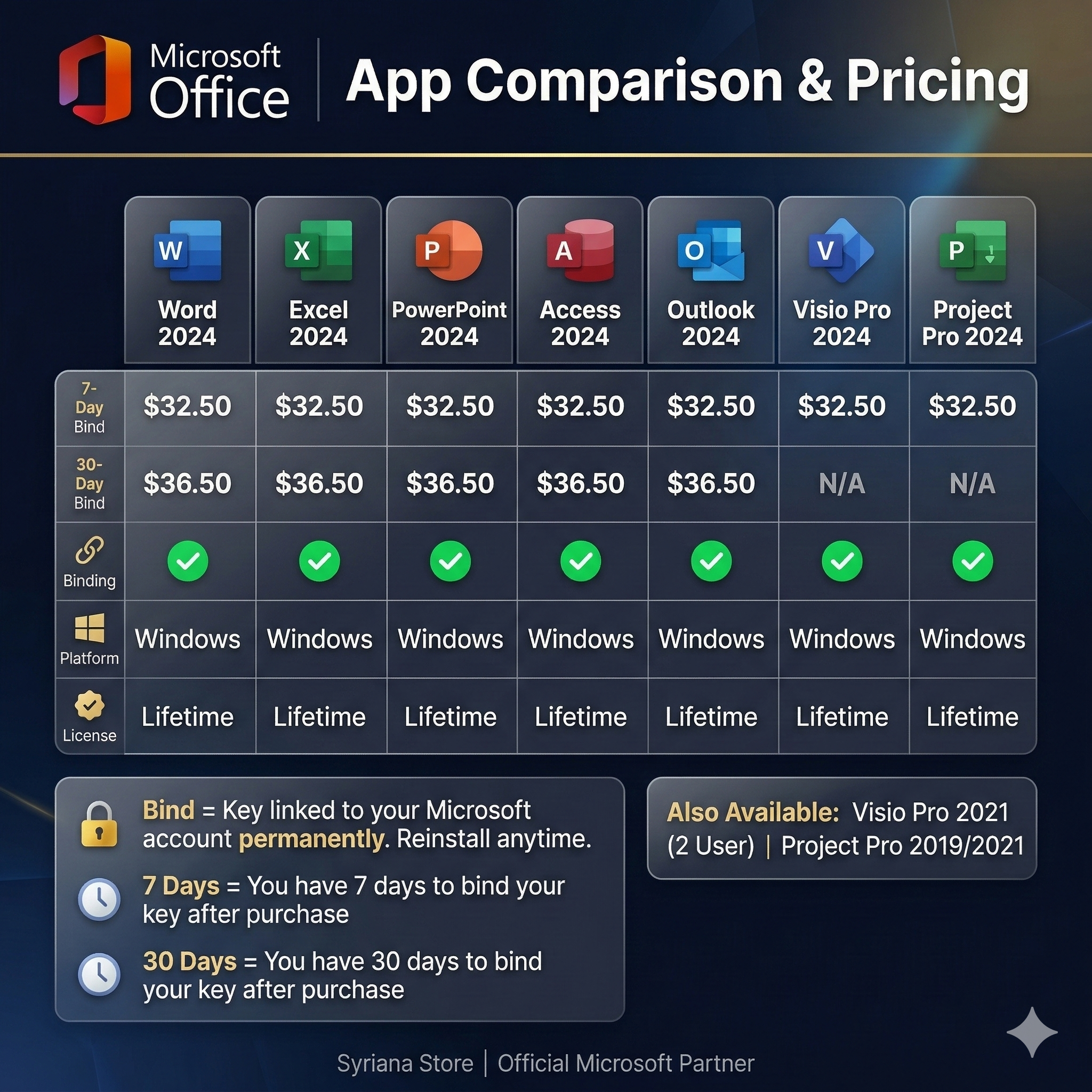
AVAILABLE OPTIONS:
Word 2024:
- Word 2024 (Binding to Microsoft Account - 7 days)
- Word 2024 (Binding to Microsoft Account - 30 days)
Excel 2024:
- Excel 2024 (Binding to Microsoft Account - 7 days)
- Excel 2024 (Binding to Microsoft Account - 30 days)
PowerPoint 2024:
- PowerPoint 2024 (Binding to Microsoft Account - 7 days)
- PowerPoint 2024 (Binding to Microsoft Account - 30 days)
Access 2024:
- Access 2024 (Binding to Microsoft Account - 7 days)
- Access 2024 (Binding to Microsoft Account - 30 days)
Visio 2024:
- Visio Professional 2024 (Binding to Microsoft Account - 7 days)
- Visio Professional 2024 (Binding to Microsoft Account - 30 days)
Project 2024:
- Project Professional 2024 (Binding to Microsoft Account - 7 days)
- Project Professional 2024 (Binding to Microsoft Account - 30 days)
LICENSE DETAILS:
- License: Digital Key (Bind to Microsoft Account)
- Language: Multilingual
- Regional binding: None (worldwide)
- License validity: Lifetime (permanent)
- Bound to your Microsoft account
HOW BINDING WORKS:
- 7-day binding: Key must be bound to your Microsoft account within 7 days
- 30-day binding: Key must be bound within 30 days
- Once bound, the license is permanent on your account
DELIVERY:
Manual delivery. After payment, you will receive a unique code.
Delivery time: 2 to 48 hours maximum.
SUPPORT:
Contact us through the platform messaging system. We respond within 24 hours.
1x Digital License Key for an individual Microsoft Office 2024 application.
Choose your app and binding period from the options above before purchasing.
AVAILABLE OPTIONS:
Word 2024:
- Word 2024 (Binding to Microsoft Account - 7 days)
- Word 2024 (Binding to Microsoft Account - 30 days)
Excel 2024:
- Excel 2024 (Binding to Microsoft Account - 7 days)
- Excel 2024 (Binding to Microsoft Account - 30 days)
PowerPoint 2024:
- PowerPoint 2024 (Binding to Microsoft Account - 7 days)
- PowerPoint 2024 (Binding to Microsoft Account - 30 days)
Access 2024:
- Access 2024 (Binding to Microsoft Account - 7 days)
- Access 2024 (Binding to Microsoft Account - 30 days)
Visio 2024:
- Visio Professional 2024 (Binding to Microsoft Account - 7 days)
- Visio Professional 2024 (Binding to Microsoft Account - 30 days)
Project 2024:
- Project Professional 2024 (Binding to Microsoft Account - 7 days)
- Project Professional 2024 (Binding to Microsoft Account - 30 days)
LICENSE DETAILS:
- License: Digital Key (Bind to Microsoft Account)
- Language: Multilingual
- Regional binding: None (worldwide)
- License validity: Lifetime (permanent)
- Bound to your Microsoft account
HOW BINDING WORKS:
- 7-day binding: Key must be bound to your Microsoft account within 7 days
- 30-day binding: Key must be bound within 30 days
- Once bound, the license is permanent on your account
DELIVERY:
Manual delivery. After payment, you will receive a unique code.
Delivery time: 2 to 48 hours maximum.
SUPPORT:
Contact us through the platform messaging system. We respond within 24 hours.
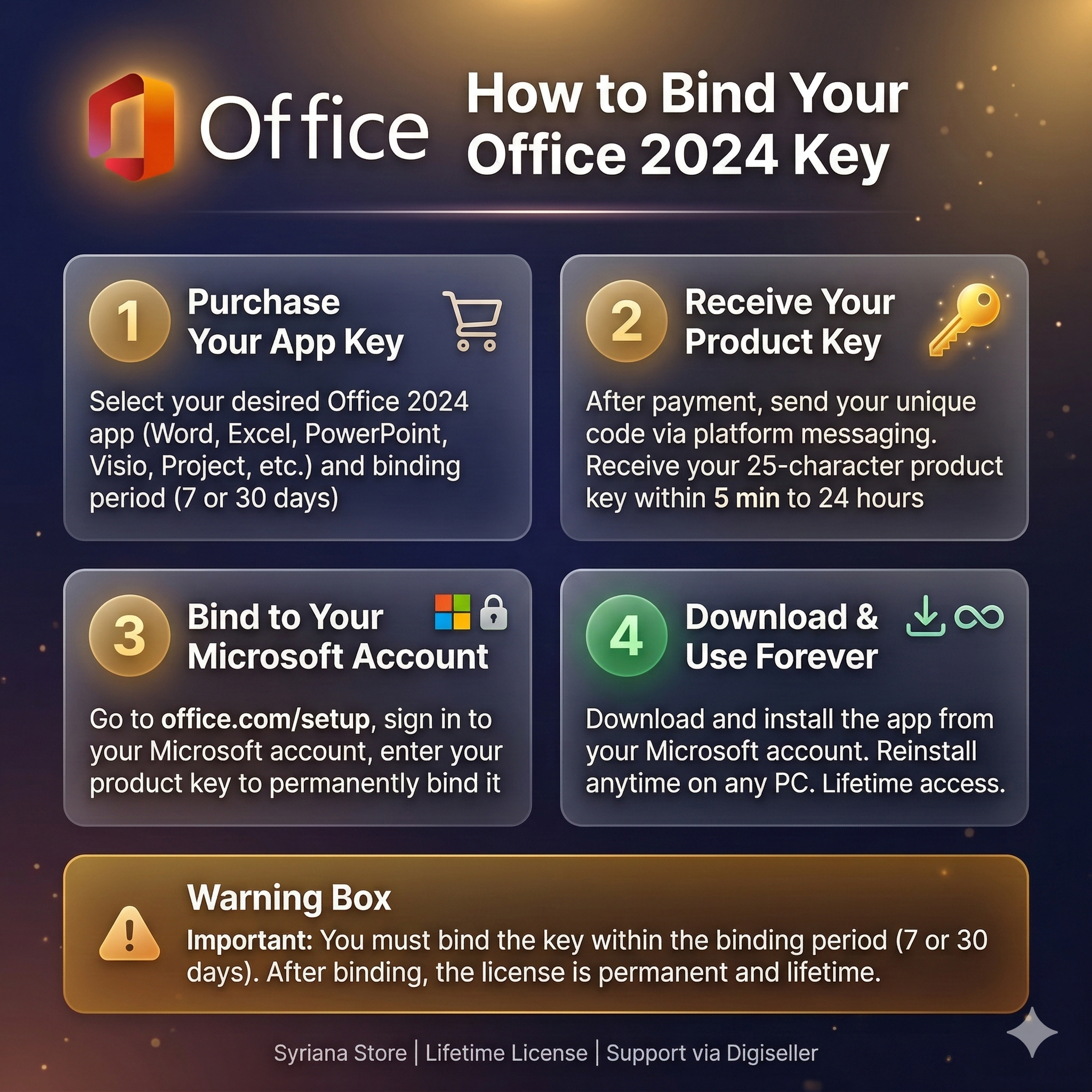
HOW TO ACTIVATE YOUR OFFICE 2024 APPLICATION:
1. After payment, you will receive your license key via the platform messaging system.
2. Go to https://office.com/setup
3. Sign in with your Microsoft account (or create one if you don´t have one).
4. Enter the product key you received.
5. The license will be bound to your Microsoft account.
6. Download and install the application from your Microsoft account page.
IMPORTANT:
- Complete the binding within the specified period (7 or 30 days depending on your purchase).
- After binding, the license is permanent and tied to your Microsoft account.
- You can reinstall the application anytime by signing into your Microsoft account.
DOWNLOAD LINKS:
- Office Setup: https://office.com/setup
- Microsoft Account: https://account.microsoft.com
- Office Install: https://aka.ms/office-install
TROUBLESHOOTING:
- Key not accepted: Make sure you are entering the key correctly without spaces
- Installation failed: Uninstall any previous Office versions first
- Cannot sign in: Clear browser cache or use incognito mode
- Need help: Contact us through the platform messaging system
1. After payment, you will receive your license key via the platform messaging system.
2. Go to https://office.com/setup
3. Sign in with your Microsoft account (or create one if you don´t have one).
4. Enter the product key you received.
5. The license will be bound to your Microsoft account.
6. Download and install the application from your Microsoft account page.
IMPORTANT:
- Complete the binding within the specified period (7 or 30 days depending on your purchase).
- After binding, the license is permanent and tied to your Microsoft account.
- You can reinstall the application anytime by signing into your Microsoft account.
DOWNLOAD LINKS:
- Office Setup: https://office.com/setup
- Microsoft Account: https://account.microsoft.com
- Office Install: https://aka.ms/office-install
TROUBLESHOOTING:
- Key not accepted: Make sure you are entering the key correctly without spaces
- Installation failed: Uninstall any previous Office versions first
- Cannot sign in: Clear browser cache or use incognito mode
- Need help: Contact us through the platform messaging system
No feedback yet