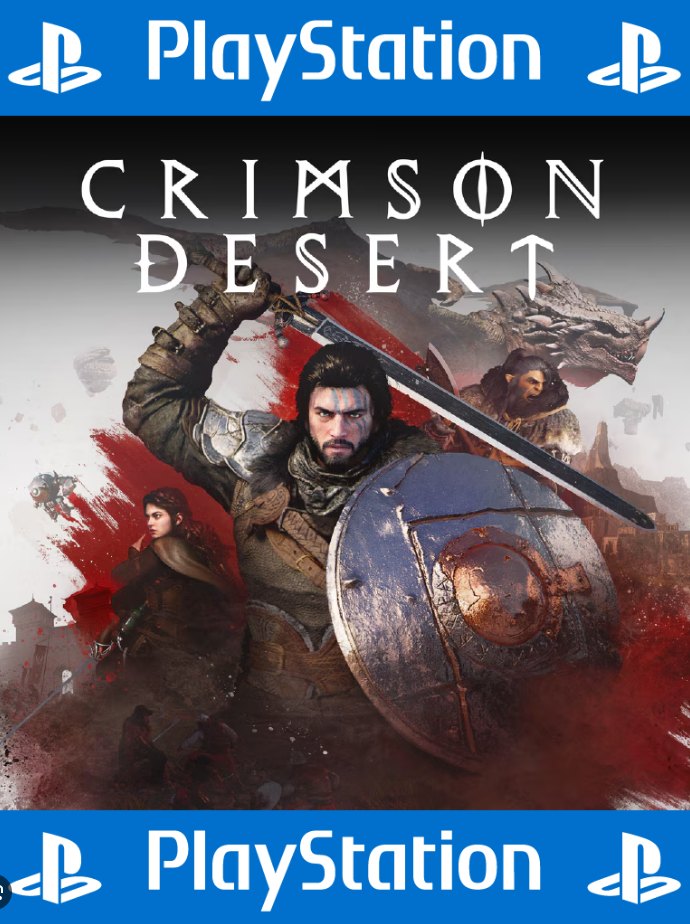
💻 Crimson Desert PS5 P1-Offline 🔰
Content: text (0 symbol)
Available: 1
Uploaded:
Positive responses: 0
Negative responses: 0
Sold: 0
Refunds: 0
Seller: MaccerichPSN
information about the seller and its items
Loyalty discount! If the total amount of your purchases from the seller more than:
| $100 | the discount is | 3% |
| $250 | the discount is | 5% |
$20.32
!!! TERMS OF PURCHASE!!!
This activation method is primarily suitable for users who don´t require constant internet access on their console, as well as those who prefer to play on their personal account, earn trophies, and earn Platinum.
Users who actively play online via PS+ can immediately rule out this option—it won´t suit them.
"P1" is a completely offline game mode. We emphasize: COMPLETELY offline!
For the game to function correctly and avoid being locked, the console must be offline at all times—not just during launch or the game itself, but throughout its entire use.
Many people mistakenly believe that the internet can be enabled outside of gameplay—this is not true. Even a brief internet connection, for example, to reply to a friend via message, will result in a lock.
Please keep this in mind and avoid such mistakes.
Game - Crimson Desert
Console - PS5
1) On the purchase page, copy the unique 16-character CODE you received to your clipboard.
2) At the bottom of this page, click "CONTACT SELLER."
3) Paste the code from the clipboard into your message and click "SEND MESSAGE."
Send your code as soon as possible. Save my time, and most importantly, YOUR time.
😁 A brief, and most importantly, clear, installation guide 📖
!!!UNIVERSAL INSTRUCTIONS!!!
1. Creating a new user:
❖For PS4🎮
Select "Power" ➔ "Change User" ➔ Create a new user (NOT GUEST!)
❖For PS5🎮
Select ➔ "GET STARTED" (NOT GUEST!) ➔ "Accept the license agreement"
❖Then send a photo of the QR code in a message to the seller. If you can´t upload a photo, write the 6-digit code below the QR code.
2. Activation and sharing:
❖FOR PS4: Offer to change the primary system
Very important! Select ➔ "Move to this PS4 system"
❖ FOR PS5 Console Sharing
Very important! Select ➔
"Enable"
3. Download the game:
❖Library ➔ Find your game (purchased) ➔ Download (you can check the download status using the "Options" button)
🥳CONGRATULATIONS! You can play ➔ The game will launch from your account.
This activation method is primarily suitable for users who don´t require constant internet access on their console, as well as those who prefer to play on their personal account, earn trophies, and earn Platinum.
Users who actively play online via PS+ can immediately rule out this option—it won´t suit them.
"P1" is a completely offline game mode. We emphasize: COMPLETELY offline!
For the game to function correctly and avoid being locked, the console must be offline at all times—not just during launch or the game itself, but throughout its entire use.
Many people mistakenly believe that the internet can be enabled outside of gameplay—this is not true. Even a brief internet connection, for example, to reply to a friend via message, will result in a lock.
Please keep this in mind and avoid such mistakes.
Game - Crimson Desert
Console - PS5
📢ATTENTION!📢
After making a payment, you will be given a unique 16-character CODE to confirm your payment.1) On the purchase page, copy the unique 16-character CODE you received to your clipboard.
2) At the bottom of this page, click "CONTACT SELLER."
3) Paste the code from the clipboard into your message and click "SEND MESSAGE."
These steps are required and mandatory for EVERYONE!
Until you complete these instructions to confirm your payment, no further actions will be taken on your purchase.Send your code as soon as possible. Save my time, and most importantly, YOUR time.
😁 A brief, and most importantly, clear, installation guide 📖
!!!UNIVERSAL INSTRUCTIONS!!!
1. Creating a new user:
❖For PS4🎮
Select "Power" ➔ "Change User" ➔ Create a new user (NOT GUEST!)
❖For PS5🎮
Select ➔ "GET STARTED" (NOT GUEST!) ➔ "Accept the license agreement"
❖Then send a photo of the QR code in a message to the seller. If you can´t upload a photo, write the 6-digit code below the QR code.
2. Activation and sharing:
❖FOR PS4: Offer to change the primary system
Very important! Select ➔ "Move to this PS4 system"
❖ FOR PS5 Console Sharing
Very important! Select ➔
"Enable"
3. Download the game:
❖Library ➔ Find your game (purchased) ➔ Download (you can check the download status using the "Options" button)
🥳CONGRATULATIONS! You can play ➔ The game will launch from your account.
⏳The average order fulfillment time varies, depending on the workload (or circumstances beyond our control: blackout, internet blocking, etc.) - from now (instantaneously) to 45 minutes. (But no more than 12 hours from the moment of purchase)
⏳Working hours: 09:00-22:00 UTC+2⌛️
⏳If you made a purchase at night (after 22:00 UTC+2), we can place an order the next day⌛️
⚠️Game (account) activation conditions:
-From the moment the Internet is first disconnected after downloading the game and until it is deleted, connecting to the Internet on the console is strictly prohibited.
Even for a minute. Otherwise, you will get a lock, and access to the game will be lost forever.
▶️ You have ⌚ 24 hours from the moment you receive the data to download the game, check its functionality and disconnect the Internet.
If during this time the user has not confirmed that everything is installed and working, the "P1" mode is activated automatically.
If the Internet is still on at this point, the game will be blocked, a lock will appear, and you will no longer be able to play it.
- This type of product is sold on the terms of activation, and belongs to our service.
- There is no PS Plus subscription on the accounts
(if you have a subscription, it will also apply to our account)
- Any manipulation of the product aimed at taking possession of it or changing data entails a ban on the use of the product without reimbursement of the remaining funds.
- You cannot transfer the account to third parties.
⚠️ Conditions for installing the game (account):
- The account is installed only on one console.
- Play from your account.
-You can´t log into the Sony website, your account is verified and functional (ready to install on the console)
-You can´t change your account details under any circumstances.
-You can add friends
💵 If the RETURN is your fault or your initiative (wrong region, mixed up the product, didn´t read the product description, your account is blocked, forgot the details, changed your mind, etc.), THE RETURN IS MADE WITH A 20% DEPENDENCE ON THE SITE COMMISSION. If the seller is at fault, the refund is made IN FULL. No refunds are made AFTER receiving the product.
⏳Working hours: 09:00-22:00 UTC+2⌛️
⏳If you made a purchase at night (after 22:00 UTC+2), we can place an order the next day⌛️
⚠️Game (account) activation conditions:
-From the moment the Internet is first disconnected after downloading the game and until it is deleted, connecting to the Internet on the console is strictly prohibited.
Even for a minute. Otherwise, you will get a lock, and access to the game will be lost forever.
▶️ You have ⌚ 24 hours from the moment you receive the data to download the game, check its functionality and disconnect the Internet.
If during this time the user has not confirmed that everything is installed and working, the "P1" mode is activated automatically.
If the Internet is still on at this point, the game will be blocked, a lock will appear, and you will no longer be able to play it.
- This type of product is sold on the terms of activation, and belongs to our service.
- There is no PS Plus subscription on the accounts
(if you have a subscription, it will also apply to our account)
- Any manipulation of the product aimed at taking possession of it or changing data entails a ban on the use of the product without reimbursement of the remaining funds.
- You cannot transfer the account to third parties.
⚠️ Conditions for installing the game (account):
- The account is installed only on one console.
- Play from your account.
-You can´t log into the Sony website, your account is verified and functional (ready to install on the console)
-You can´t change your account details under any circumstances.
-You can add friends
💵 If the RETURN is your fault or your initiative (wrong region, mixed up the product, didn´t read the product description, your account is blocked, forgot the details, changed your mind, etc.), THE RETURN IS MADE WITH A 20% DEPENDENCE ON THE SITE COMMISSION. If the seller is at fault, the refund is made IN FULL. No refunds are made AFTER receiving the product.
No feedback yet