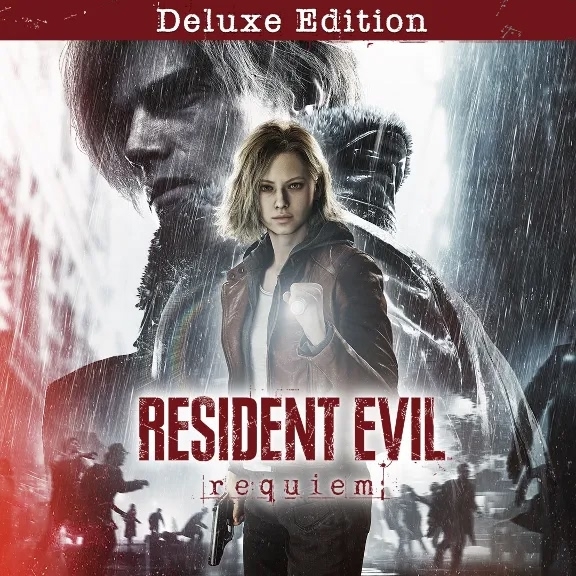
Resident Evil Requiem Deluxe Edition Xbox(Аренда)
Content: text (0 symbol)
Uploaded: 23.03.2026
Positive responses: 1
Negative responses: 0
Sold: 1
Refunds: 0
$2.84
Access to an account with console games
After payment, you receive activation for a shared account for one console.
This account is used to download and launch games according to the instructions.
Games available on this account:
• RESIDENT EVIL REQUIEM — Deluxe Edition
Audio language - Russian
Subtitle language - Russian
⚠️ Important
• The account is used only to download and launch games.
• This account is shared — you cannot play directly from the purchased profile.
• Launch games according to the instructions.
• The launch process takes less than a minute.
• Parental controls (screen time) are set on the account.
• Online stability is not guaranteed since the account is shared.
📌 Launch instructions are available in the "Additional Information" section.
Please make a purchase only if you are ready to follow the instructions.
🕗 Initial activation requires the seller to be online.
To avoid waiting, we recommend paying for your purchase during customer support business hours.
Customer support hours:
08:00 - 20:00 Moscow time (daily).
⚠️ Before purchasing, please read the
"Additional Information" section.
By making a purchase, you confirm that you have read and agree to the terms and conditions.
Instructions for logging into a purchased account
1. On your console, go to SETTINGS → SYSTEM → TIME;
2. Set your time zone so that the time under TIME is any time between 03:00 and 05:00 AM (e.g., 04:00 AM);
3. Create a new account. To do this, press the Xbox button → scroll to your avatar → select ADD OR CHANGE → ADD NEW;
4. Enter the information you received (username and password);
"Is this really you?" - "Next";
Enter the security code the seller sends you and click "Next";
Send the code that appears in the chat on the purchase page and wait for the login confirmation,
without closing the code window;
5. After logging in, select the desired options from the drop-down boxes on the console (the order may vary):
5.1) We found your account settings - No thanks;
5.2) Use of your data - Next;
5.3) Improve game features - No thanks;
5.4) Sending data to publishers - Next;
5.5) Sign-in and security settings - No restrictions;
5.6) Link a controller to you - Skip;
5.7) Make this console your home Xbox? - MAYBE LATER;
5.8) Offer to purchase Game Pass - NO, THANKS;
6. Start downloading the desired games via My Games & Apps > Full Library > Owned Games;
7) Once the game is downloaded, log out of the purchased account and set the time on your console to between 5:00 AM and 2:00 AM (e.g., 10:00 AM). The download will continue.
IMPORTANT: YOU MUST LAUNCH THE GAMES EACH TIME FOLLOWING THE INSTRUCTIONS BELOW ↓ ‼️ IF YOU DO NOT LOG OUT OF THE PURCHASED ACCOUNT, YOU AND OTHER PLAYERS WILL BE KICKED FROM THE GAMES. FOLLOW THE LAUNCH METHOD.
After payment, you receive activation for a shared account for one console.
This account is used to download and launch games according to the instructions.
Games available on this account:
• RESIDENT EVIL REQUIEM — Deluxe Edition
Audio language - Russian
Subtitle language - Russian
⚠️ Important
• The account is used only to download and launch games.
• This account is shared — you cannot play directly from the purchased profile.
• Launch games according to the instructions.
• The launch process takes less than a minute.
• Parental controls (screen time) are set on the account.
• Online stability is not guaranteed since the account is shared.
📌 Launch instructions are available in the "Additional Information" section.
Please make a purchase only if you are ready to follow the instructions.
🕗 Initial activation requires the seller to be online.
To avoid waiting, we recommend paying for your purchase during customer support business hours.
Customer support hours:
08:00 - 20:00 Moscow time (daily).
⚠️ Before purchasing, please read the
"Additional Information" section.
By making a purchase, you confirm that you have read and agree to the terms and conditions.
Instructions for logging into a purchased account
1. On your console, go to SETTINGS → SYSTEM → TIME;
2. Set your time zone so that the time under TIME is any time between 03:00 and 05:00 AM (e.g., 04:00 AM);
3. Create a new account. To do this, press the Xbox button → scroll to your avatar → select ADD OR CHANGE → ADD NEW;
4. Enter the information you received (username and password);
"Is this really you?" - "Next";
Enter the security code the seller sends you and click "Next";
Send the code that appears in the chat on the purchase page and wait for the login confirmation,
without closing the code window;
5. After logging in, select the desired options from the drop-down boxes on the console (the order may vary):
5.1) We found your account settings - No thanks;
5.2) Use of your data - Next;
5.3) Improve game features - No thanks;
5.4) Sending data to publishers - Next;
5.5) Sign-in and security settings - No restrictions;
5.6) Link a controller to you - Skip;
5.7) Make this console your home Xbox? - MAYBE LATER;
5.8) Offer to purchase Game Pass - NO, THANKS;
6. Start downloading the desired games via My Games & Apps > Full Library > Owned Games;
7) Once the game is downloaded, log out of the purchased account and set the time on your console to between 5:00 AM and 2:00 AM (e.g., 10:00 AM). The download will continue.
IMPORTANT: YOU MUST LAUNCH THE GAMES EACH TIME FOLLOWING THE INSTRUCTIONS BELOW ↓ ‼️ IF YOU DO NOT LOG OUT OF THE PURCHASED ACCOUNT, YOU AND OTHER PLAYERS WILL BE KICKED FROM THE GAMES. FOLLOW THE LAUNCH METHOD.
HOW TO LAUNCH GAMES
Step-by-Step Instructions:
HOW TO LAUNCH A GAME:
‼️1) Initially, the time on your console should be set between 5:00 AM and 3:00 AM (e.g., 10:00 AM)!
2) Log in to the purchased account. The "Extend Screen Time" window should appear. Click "Next" (if the "Close" button appears, log in again).
3) Go to Settings - "General" - "Network Settings" - "Disconnect from Network" - press "B";
4) Go to the "System" - "Time" tab. Change the time zone to set the time between 3:00 AM and 5:00 AM (e.g., 4:00 AM) and press "B" once.
5) Log back into the purchased account;
6) Switch to your personal account;
7) Go to "General" - "Network Settings" and click "Connect to Network" (wait until fully connected);
8) Then change the time to anything other than 3-5 AM (for example, 10 AM);
9) Go to the main screen and launch the game;
(If the error "Game launched elsewhere" appears, click "Play here");
10) Wait for the game to load to the main menu and log out of the shared account.
‼️ If it doesn´t work the first time, try again! Just don´t play using the purchased account.
⚠️ ATTENTION ⚠️
❎ Check if your console is compatible with the games hosted on your account;
❎ Check whether a subscription is required for online play;
❎ It is prohibited to use a home account or play through it instead of a personal profile (it is only used for downloading and setting up the game on your profile);
❎ It is prohibited to change account information or resell it;
❎ It is prohibited to log into the account from any device except the console;
❎ It is prohibited to install on more than one console;
❎ It is prohibited to link bank cards or PayPal accounts;
❎ The account is NOT transferred to you, and you will not be provided with email access;
💵 Refunds are not issued in the following cases: 💵
- After account activation;
- Accidentally purchased the wrong item;
- Violated the account terms;
- I can´t launch the game;
- Didn´t read the description;
- Crashes occur during the game;
- If Microsoft´s policy changes and this affects shared accounts, refunds are not available.
💵A partial refund is possible before account activation (minus the payment gateway fee).
💵A full refund is possible if you claim that the launch methods are not working. In this case, you must record a video (in good quality, showing all on-screen information) starting with each launch method (#3 and #4) and send it to us to verify that you are following all steps correctly and that the issue is indeed with the launch method.
✅By purchasing a product, you confirm that:
- I have reviewed the game description on the Xbox website and that it is suitable for me;
- I have reviewed the account activation method;
- I have reviewed the game launch methods;
- I have reviewed the "ATTENTION" section;
- I have reviewed the refund/non-refund information.
✅ BY PURCHASING AN PRODUCT, YOU AGREE TO THE DESCRIPTION AND TERMS/CONDITIONS.
If you violate these terms, the seller reserves the right to block access to your account without a refund.
Step-by-Step Instructions:
HOW TO LAUNCH A GAME:
‼️1) Initially, the time on your console should be set between 5:00 AM and 3:00 AM (e.g., 10:00 AM)!
2) Log in to the purchased account. The "Extend Screen Time" window should appear. Click "Next" (if the "Close" button appears, log in again).
3) Go to Settings - "General" - "Network Settings" - "Disconnect from Network" - press "B";
4) Go to the "System" - "Time" tab. Change the time zone to set the time between 3:00 AM and 5:00 AM (e.g., 4:00 AM) and press "B" once.
5) Log back into the purchased account;
6) Switch to your personal account;
7) Go to "General" - "Network Settings" and click "Connect to Network" (wait until fully connected);
8) Then change the time to anything other than 3-5 AM (for example, 10 AM);
9) Go to the main screen and launch the game;
(If the error "Game launched elsewhere" appears, click "Play here");
10) Wait for the game to load to the main menu and log out of the shared account.
‼️ If it doesn´t work the first time, try again! Just don´t play using the purchased account.
⚠️ ATTENTION ⚠️
❎ Check if your console is compatible with the games hosted on your account;
❎ Check whether a subscription is required for online play;
❎ It is prohibited to use a home account or play through it instead of a personal profile (it is only used for downloading and setting up the game on your profile);
❎ It is prohibited to change account information or resell it;
❎ It is prohibited to log into the account from any device except the console;
❎ It is prohibited to install on more than one console;
❎ It is prohibited to link bank cards or PayPal accounts;
❎ The account is NOT transferred to you, and you will not be provided with email access;
💵 Refunds are not issued in the following cases: 💵
- After account activation;
- Accidentally purchased the wrong item;
- Violated the account terms;
- I can´t launch the game;
- Didn´t read the description;
- Crashes occur during the game;
- If Microsoft´s policy changes and this affects shared accounts, refunds are not available.
💵A partial refund is possible before account activation (minus the payment gateway fee).
💵A full refund is possible if you claim that the launch methods are not working. In this case, you must record a video (in good quality, showing all on-screen information) starting with each launch method (#3 and #4) and send it to us to verify that you are following all steps correctly and that the issue is indeed with the launch method.
✅By purchasing a product, you confirm that:
- I have reviewed the game description on the Xbox website and that it is suitable for me;
- I have reviewed the account activation method;
- I have reviewed the game launch methods;
- I have reviewed the "ATTENTION" section;
- I have reviewed the refund/non-refund information.
✅ BY PURCHASING AN PRODUCT, YOU AGREE TO THE DESCRIPTION AND TERMS/CONDITIONS.
If you violate these terms, the seller reserves the right to block access to your account without a refund.
24.03.2026 10:51:25
Продавца рекомендую👍 Сделка прошла отлично! Уже играю..