Harmony Player | HTML5 HLS Web Player + Ad Engine Module
Content: HarmonyMediaPlayer.zip (17.68 KB)
Uploaded: 24.03.2026
Positive responses: 0
Negative responses: 0
Sold: 0
Refunds: 0
$27.67
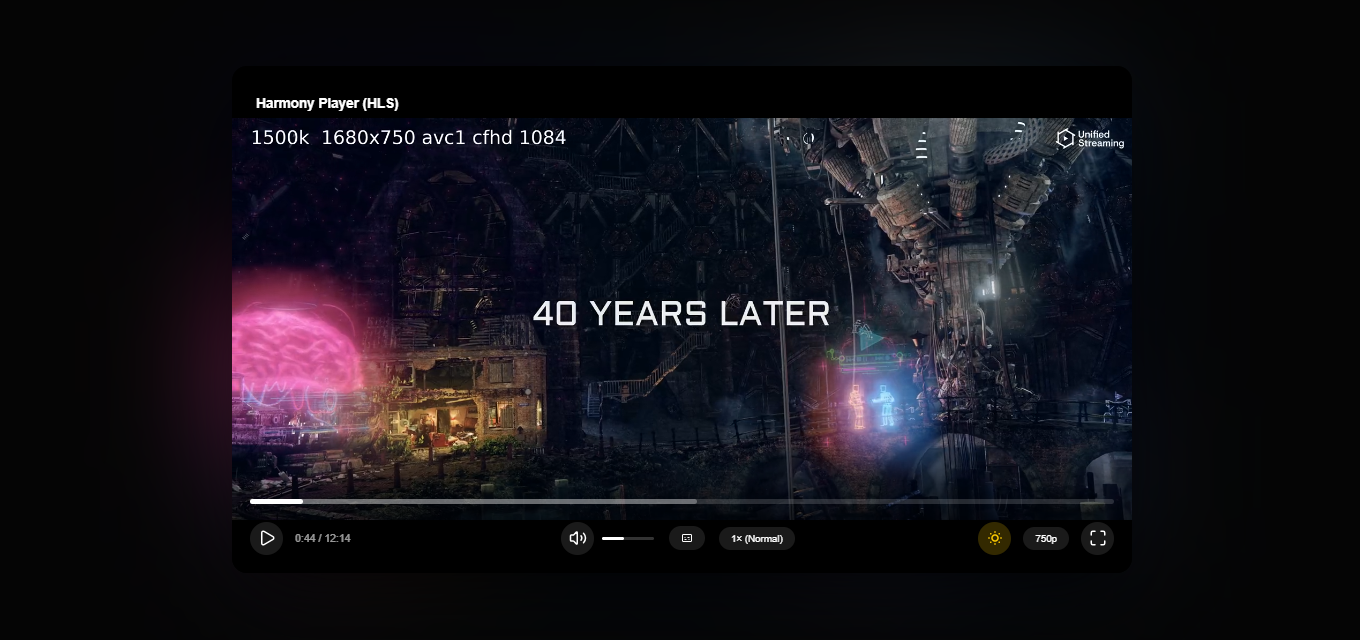
🎬 Harmony Player | HTML5 HLS Web Player + Ad Engine Module
Harmony Player (Smart Skeleton Edition) is a production-ready, lightweight, and incredibly stylish HTML5 video player for modern websites. Built on pure Vanilla JavaScript, it requires no heavy frameworks or databases. It is perfect for integration into any CMS (WordPress, DLE, etc.) or custom-built web platforms.
Developed with a focus on aesthetics and smooth UX, it is the ultimate solution for streaming video content (movie sites, blogs, video portals).
🚀 KEY FEATURES & FUNCTIONALITY
📡 Full HLS (HTTP Live Streaming) Support: Native adaptive streaming for .m3u8 feeds powered by hls.js.
📺 MP4 Fallback: Automatic switch to standard .mp4 if the browser doesn´t support HLS.
📢 Built-in Ad Engine Module: Easily run video pre-rolls before your main content.
🔒 Seek-Lock for Ads: Timeline scrubbing is completely blocked while the advertisement is playing.
⚖️ Ad Labeling & Compliance: Displays a copyable ID badge (e.g., erid) right over the player to meet regional advertising laws.
🌈 Cinematic Ambilight Effect: Gorgeous dynamic ambient glow behind the player based on real-time video colors (automatically disables on mobile to save battery).
⏳ Smart Skeleton Loading: Beautiful frosted-glass shimmer overlays appear during buffering and loading states.
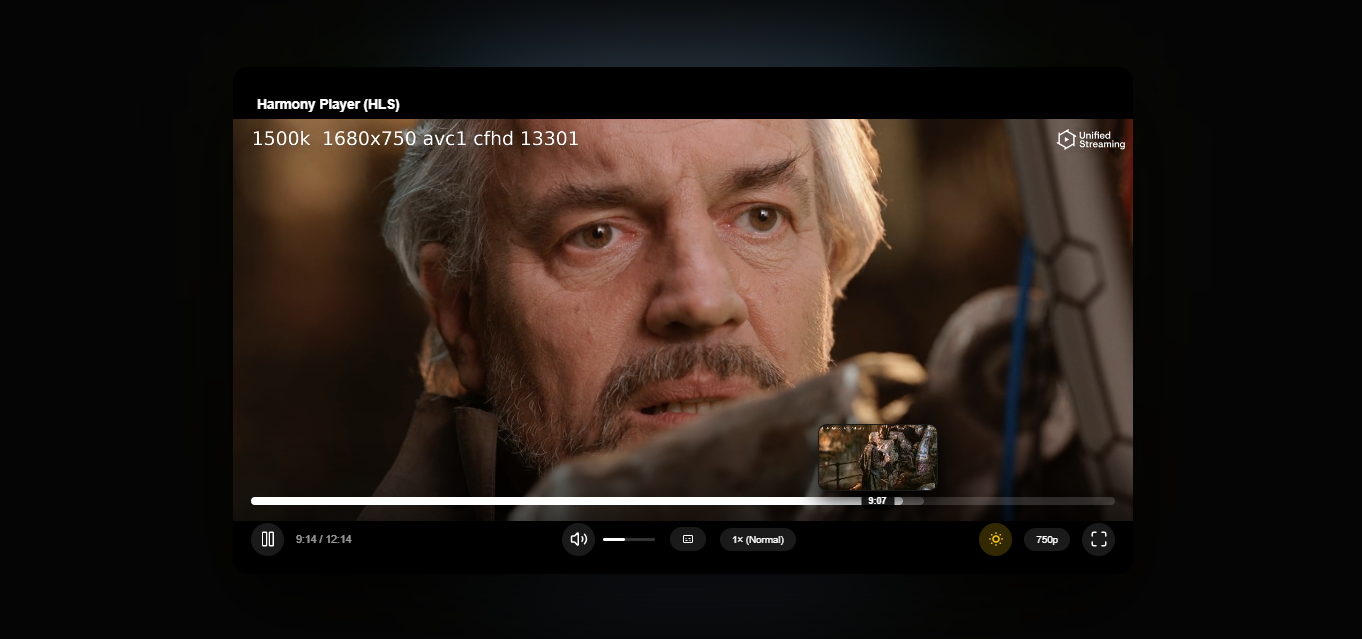
🖼️ On-the-Fly Hover Previews: Caches and generates timeline thumbnail previews on mouse hover (no external server VTT files required!).
🧠 Smart Resume Playback: Remembers the timestamp in local storage and prompts the user to continue watching where they left off.
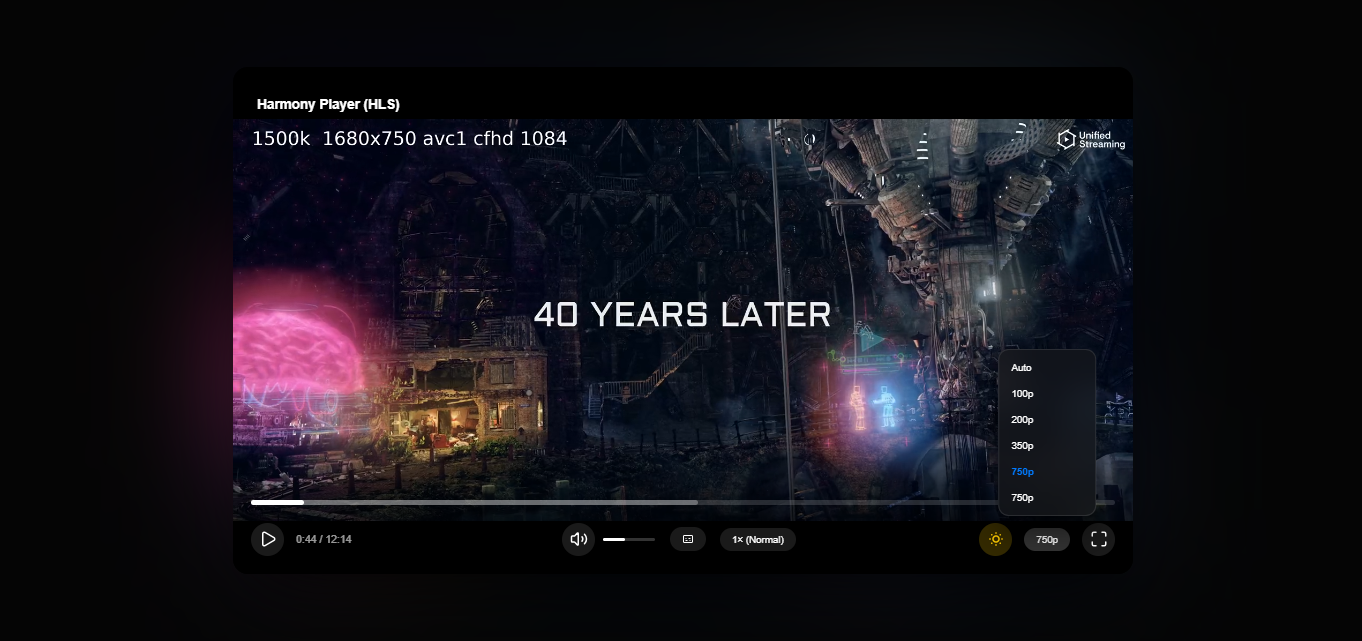
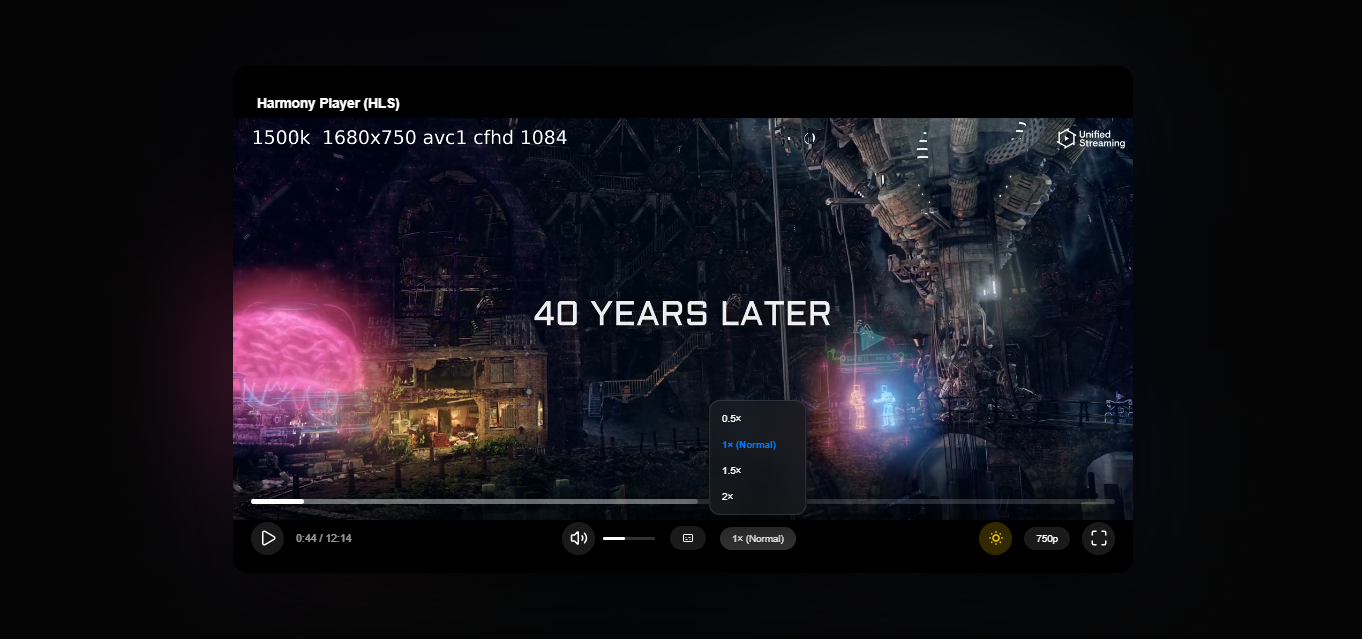
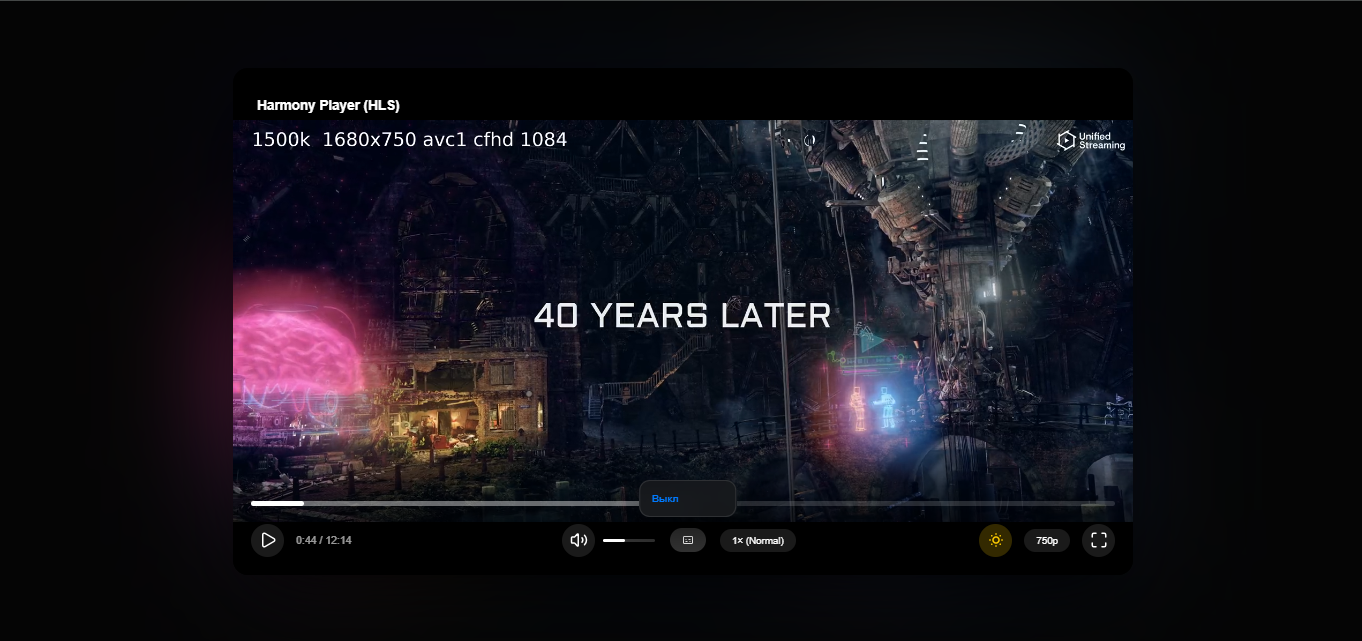
⚙️ Feature-Rich UI: Playback speed toggles (0.5x to 2x), video quality selector, and multi-track subtitles.
📱 Mobile First & Responsive: Touch-gestures optimized, supporting seamless Portrait/Landscape orientation shifts.
📦 WHAT YOU GET UPON PURCHASE
You will instantly download a ZIP archive containing:
The Production Player Code (A ready-to-use HTML file containing all JS logic and CSS styles. The code is 100% open, un-obfuscated, and has no domain locks).
A README text file with quick technical summaries.
⚠️ TERMS OF PURCHASE & REFUND POLICY
⚙️ Delivery Format: The code is delivered "As Is" for self-integration into your own templates and CMS.
🤝 Support: The seller does not provide free 1-on-1 integration support or custom dev work. Basic HTML/JS knowledge is expected.
🛡️ 48-Hour Refund Policy: If the player completely fails to work in your environment due to technical bugs, you can request a refund within 48 hours of purchase.
Harmony Player (Smart Skeleton Edition) is a production-ready, lightweight, and incredibly stylish HTML5 video player for modern websites. Built on pure Vanilla JavaScript, it requires no heavy frameworks or databases. It is perfect for integration into any CMS (WordPress, DLE, etc.) or custom-built web platforms.
Developed with a focus on aesthetics and smooth UX, it is the ultimate solution for streaming video content (movie sites, blogs, video portals).
🚀 KEY FEATURES & FUNCTIONALITY
📡 Full HLS (HTTP Live Streaming) Support: Native adaptive streaming for .m3u8 feeds powered by hls.js.
📺 MP4 Fallback: Automatic switch to standard .mp4 if the browser doesn´t support HLS.
📢 Built-in Ad Engine Module: Easily run video pre-rolls before your main content.
🔒 Seek-Lock for Ads: Timeline scrubbing is completely blocked while the advertisement is playing.
⚖️ Ad Labeling & Compliance: Displays a copyable ID badge (e.g., erid) right over the player to meet regional advertising laws.
🌈 Cinematic Ambilight Effect: Gorgeous dynamic ambient glow behind the player based on real-time video colors (automatically disables on mobile to save battery).
⏳ Smart Skeleton Loading: Beautiful frosted-glass shimmer overlays appear during buffering and loading states.
🖼️ On-the-Fly Hover Previews: Caches and generates timeline thumbnail previews on mouse hover (no external server VTT files required!).
🧠 Smart Resume Playback: Remembers the timestamp in local storage and prompts the user to continue watching where they left off.
⚙️ Feature-Rich UI: Playback speed toggles (0.5x to 2x), video quality selector, and multi-track subtitles.
📱 Mobile First & Responsive: Touch-gestures optimized, supporting seamless Portrait/Landscape orientation shifts.
📦 WHAT YOU GET UPON PURCHASE
You will instantly download a ZIP archive containing:
The Production Player Code (A ready-to-use HTML file containing all JS logic and CSS styles. The code is 100% open, un-obfuscated, and has no domain locks).
A README text file with quick technical summaries.
⚠️ TERMS OF PURCHASE & REFUND POLICY
⚙️ Delivery Format: The code is delivered "As Is" for self-integration into your own templates and CMS.
🤝 Support: The seller does not provide free 1-on-1 integration support or custom dev work. Basic HTML/JS knowledge is expected.
🛡️ 48-Hour Refund Policy: If the player completely fails to work in your environment due to technical bugs, you can request a refund within 48 hours of purchase.
📋 Technical Requirements & FAQ
🔧 System Requirements:
Video Formats: HLS (.m3u8) or progressive .mp4.
Third-Party CDNs: The player utilizes external CDNs for lightweight libraries (hls.js, lucide icons, and Google Fonts). Make sure your hosting content security policies (CSP) do not block external requests.
Compatibility: Works on all modern web browsers (Chrome, Safari, Firefox, Edge, Opera).
❓ Frequently Asked Questions (FAQ):
Q: How do I change the video source to my own?
A: Open the file with any text editor (like Notepad++ or VS Code), scroll to the very bottom to the new HarmonyPlayer({ ... }) initialization block, and replace the hlsUrl and mp4Url with your own links.
Q: How do I embed the player on my site?
A: You can upload the file to your hosting and load it via a standardiframe, or copy the HTML/CSS/JS structure directly into your CMS templates (e.g., WordPress or custom PHP setups).
Q: Can I remove branding or change colors?
A: Yes! The source code is 100% open. You can easily edit CSS variables at the top of the file to change accent colors, player titles, and layout themes.
Q: Why do some features fail when I open the file locally from my PC?
A: Browsers block certain features (like local storage history and HLS streaming) when running a file via the standard double-click (file:// protocol). To see the player in action, it should be uploaded to an actual web server or running on a local development server like OpenServer or XAMPP.
🔧 System Requirements:
Video Formats: HLS (.m3u8) or progressive .mp4.
Third-Party CDNs: The player utilizes external CDNs for lightweight libraries (hls.js, lucide icons, and Google Fonts). Make sure your hosting content security policies (CSP) do not block external requests.
Compatibility: Works on all modern web browsers (Chrome, Safari, Firefox, Edge, Opera).
❓ Frequently Asked Questions (FAQ):
Q: How do I change the video source to my own?
A: Open the file with any text editor (like Notepad++ or VS Code), scroll to the very bottom to the new HarmonyPlayer({ ... }) initialization block, and replace the hlsUrl and mp4Url with your own links.
Q: How do I embed the player on my site?
A: You can upload the file to your hosting and load it via a standardiframe, or copy the HTML/CSS/JS structure directly into your CMS templates (e.g., WordPress or custom PHP setups).
Q: Can I remove branding or change colors?
A: Yes! The source code is 100% open. You can easily edit CSS variables at the top of the file to change accent colors, player titles, and layout themes.
Q: Why do some features fail when I open the file locally from my PC?
A: Browsers block certain features (like local storage history and HLS streaming) when running a file via the standard double-click (file:// protocol). To see the player in action, it should be uploaded to an actual web server or running on a local development server like OpenServer or XAMPP.
No feedback yet