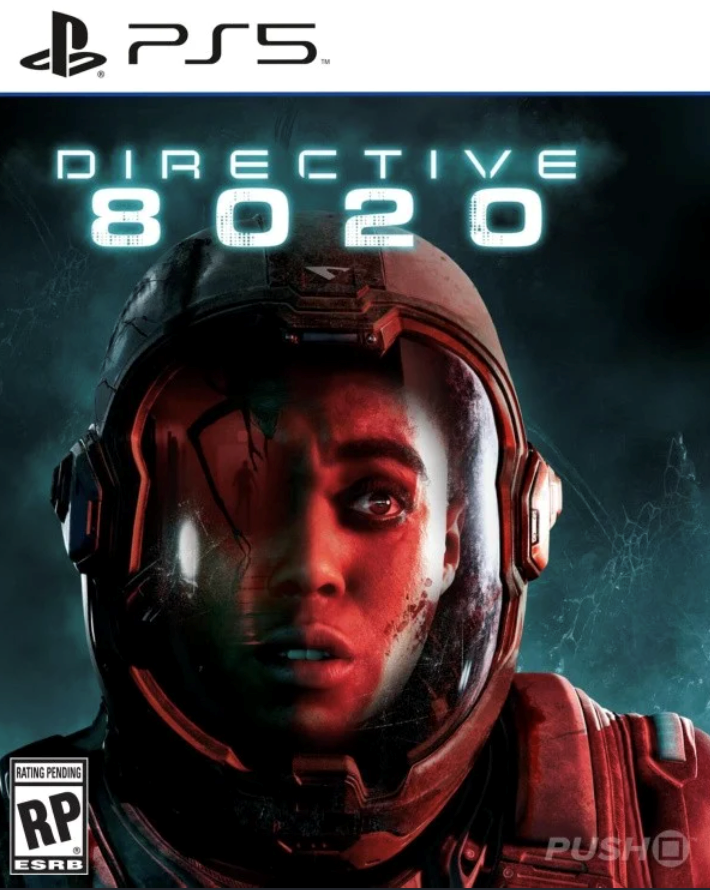
🎮Directive 8020 PS5 Rent 5 days 🔰
Content: text (0 symbol)
Available: 1
Uploaded:
Positive responses: 0
Negative responses: 0
Sold: 0
Refunds: 0
Seller: MaccerichPSN
information about the seller and its items
Loyalty discount! If the total amount of your purchases from the seller more than:
| $100 | the discount is | 3% |
| $250 | the discount is | 5% |
$9.6
☝ Please note!
The account is not sold in its entirety; it is only leased. You are granted access to our profile, and you can download the game and play on this profile for the duration of the lease.
✅ The account was created by us, and the game was purchased officially from the PlayStation Store, guaranteeing your security.
Be sure to read the "Terms of Purchase."
✅ During the lease, you are the only one playing on this account!
🎮 Platform: PS5
▶️ GAME:
✅ Directive 8020 PS5
Voice:
English, Spanish, Italian, German, French (France)
Display Languages:
English, Spanish, Italian, Traditional Chinese, Simplified Chinese, Korean, German, Polish, Portuguese (Brazil), Russian, French (France), Spanish (Mexico)
1. Creating a New User:
🎮For PS4: Select "Power" ➔ "Change User" ➔ Create a new user (NOT A GUEST!)
🎮For PS5: Select "GET STARTED"! (NOT A GUEST!) ➔ "Accept the License Agreement"
🎮Select the QR code login method and send us a photo or 6-digit login code.
2. Activation and General Access:
🎮FOR PS4: Request to Change Primary System: Very Important! Select ➔ "Do not change"
🎮FOR PS5 Console Sharing Very important! Select ➔ "Disable" or "Do not enable"
3. Download the game:
🎮Library ➔ Find your game (purchased) ➔ Download (you can check the download status using the "Options" button)
4. Play (a constant internet connection is required) ➔ The game launches with the assigned account.
❗️ ❗️ After the rental ends, your account information will be changed, and you will need to delete the account.
Settings ➔ Login Settings ➔ Delete Account.
The account is not sold in its entirety; it is only leased. You are granted access to our profile, and you can download the game and play on this profile for the duration of the lease.
✅ The account was created by us, and the game was purchased officially from the PlayStation Store, guaranteeing your security.
Be sure to read the "Terms of Purchase."
✅ During the lease, you are the only one playing on this account!
🎮 Platform: PS5
▶️ GAME:
✅ Directive 8020 PS5
Voice:
English, Spanish, Italian, German, French (France)
Display Languages:
English, Spanish, Italian, Traditional Chinese, Simplified Chinese, Korean, German, Polish, Portuguese (Brazil), Russian, French (France), Spanish (Mexico)
ATTENTION!
After payment, you will receive a unique 16-digit payment confirmation CODE.
1) On the purchase page, copy the unique code you received to your clipboard.
2) Scroll down the page and click "CONTACT SELLER."
3) Paste the unique code from the clipboard into the message and click "SEND MESSAGE."
These instructions are mandatory for everyone!
No action will be taken on your application until we receive your payment confirmation CODE.
Send the CODE immediately. Don´t waste your time or mine on unnecessary correspondence.
📘 Installation Instructions⚠️After payment, you will receive a unique 16-digit payment confirmation CODE.
1) On the purchase page, copy the unique code you received to your clipboard.
2) Scroll down the page and click "CONTACT SELLER."
3) Paste the unique code from the clipboard into the message and click "SEND MESSAGE."
These instructions are mandatory for everyone!
No action will be taken on your application until we receive your payment confirmation CODE.
Send the CODE immediately. Don´t waste your time or mine on unnecessary correspondence.
1. Creating a New User:
🎮For PS4: Select "Power" ➔ "Change User" ➔ Create a new user (NOT A GUEST!)
🎮For PS5: Select "GET STARTED"! (NOT A GUEST!) ➔ "Accept the License Agreement"
🎮Select the QR code login method and send us a photo or 6-digit login code.
2. Activation and General Access:
🎮FOR PS4: Request to Change Primary System: Very Important! Select ➔ "Do not change"
🎮FOR PS5 Console Sharing Very important! Select ➔ "Disable" or "Do not enable"
3. Download the game:
🎮Library ➔ Find your game (purchased) ➔ Download (you can check the download status using the "Options" button)
4. Play (a constant internet connection is required) ➔ The game launches with the assigned account.
❗️ ❗️ After the rental ends, your account information will be changed, and you will need to delete the account.
Settings ➔ Login Settings ➔ Delete Account.
⚠️Delivery Time (Item Delivery, Login):
Item delivery occurs within 24 hours of purchase. Pickup typically occurs between 9:00 AM and 9:00 PM Moscow time. You will be notified when your item is ready for pickup.
⚠️Terms of game (account) rental:
➡️ The game is launched from the issued account (P2)
➡️ This type of product is sold on a rental basis and belongs to our service.
➡️ Accounts do not have a PS Plus subscription
(if you have a subscription, it will also apply to our account)
➡️ Any manipulation with a product aimed at taking possession of it or changing data entails a ban on use
goods without refund of the remaining funds for unused time.
➡️ Minimum rental period is 5 days. If you complete the game before the paid period, the money is not refunded; in this case, we can offer you a discount on the subsequent rental.
➡️ You cannot transfer your account to third parties.
➡️ You can extend your rental by writing about it through my purchases on the product page, in the correspondence tab.
⚠️Conditions for installing the game (account):
➡️ The account is installed on only one console.
➡️Play using the account data you receive.
➡️You cannot go to the Sony website, your account is verified and functional (ready for installation on the console), you are given data like mail: password.
➡️These accounts cannot be changed under any circumstances.
➡️You can add friends
➡️Requires a constant Internet connection
💵 Return Policy:
If you initiate a return (e.g., incorrect region selection, product selection error, product not meeting expectations, account blocking, data loss, change of mind, etc.), a 20% refund will be issued to cover the platform´s commission.
If the error is the seller´s fault, a full refund will be issued.
Please note: refunds are not provided after the item is received.
Item delivery occurs within 24 hours of purchase. Pickup typically occurs between 9:00 AM and 9:00 PM Moscow time. You will be notified when your item is ready for pickup.
⚠️Terms of game (account) rental:
➡️ The game is launched from the issued account (P2)
➡️ This type of product is sold on a rental basis and belongs to our service.
➡️ Accounts do not have a PS Plus subscription
(if you have a subscription, it will also apply to our account)
➡️ Any manipulation with a product aimed at taking possession of it or changing data entails a ban on use
goods without refund of the remaining funds for unused time.
➡️ Minimum rental period is 5 days. If you complete the game before the paid period, the money is not refunded; in this case, we can offer you a discount on the subsequent rental.
➡️ You cannot transfer your account to third parties.
➡️ You can extend your rental by writing about it through my purchases on the product page, in the correspondence tab.
⚠️Conditions for installing the game (account):
➡️ The account is installed on only one console.
➡️Play using the account data you receive.
➡️You cannot go to the Sony website, your account is verified and functional (ready for installation on the console), you are given data like mail: password.
➡️These accounts cannot be changed under any circumstances.
➡️You can add friends
➡️Requires a constant Internet connection
💵 Return Policy:
If you initiate a return (e.g., incorrect region selection, product selection error, product not meeting expectations, account blocking, data loss, change of mind, etc.), a 20% refund will be issued to cover the platform´s commission.
If the error is the seller´s fault, a full refund will be issued.
Please note: refunds are not provided after the item is received.
No feedback yet